Access codes for check-in staff
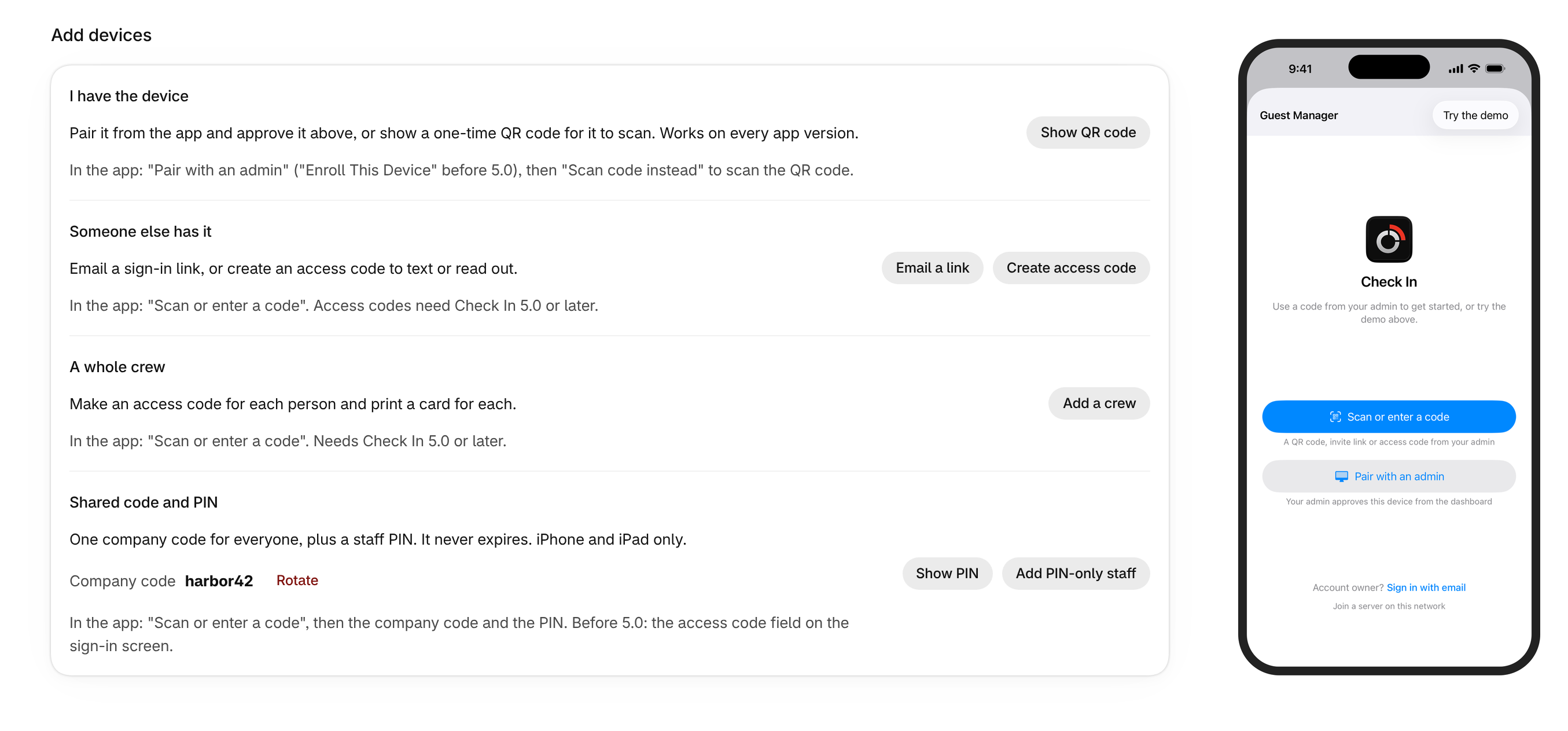
Give staff a code to type into the Check In app, or add a whole crew with a printed card each, without holding their device.
Read more
New features, improvements and changes to Event Ticketing for Shopify, newest first.
Give staff a code to type into the Check In app, or add a whole crew with a printed card each, without holding their device.
Read more
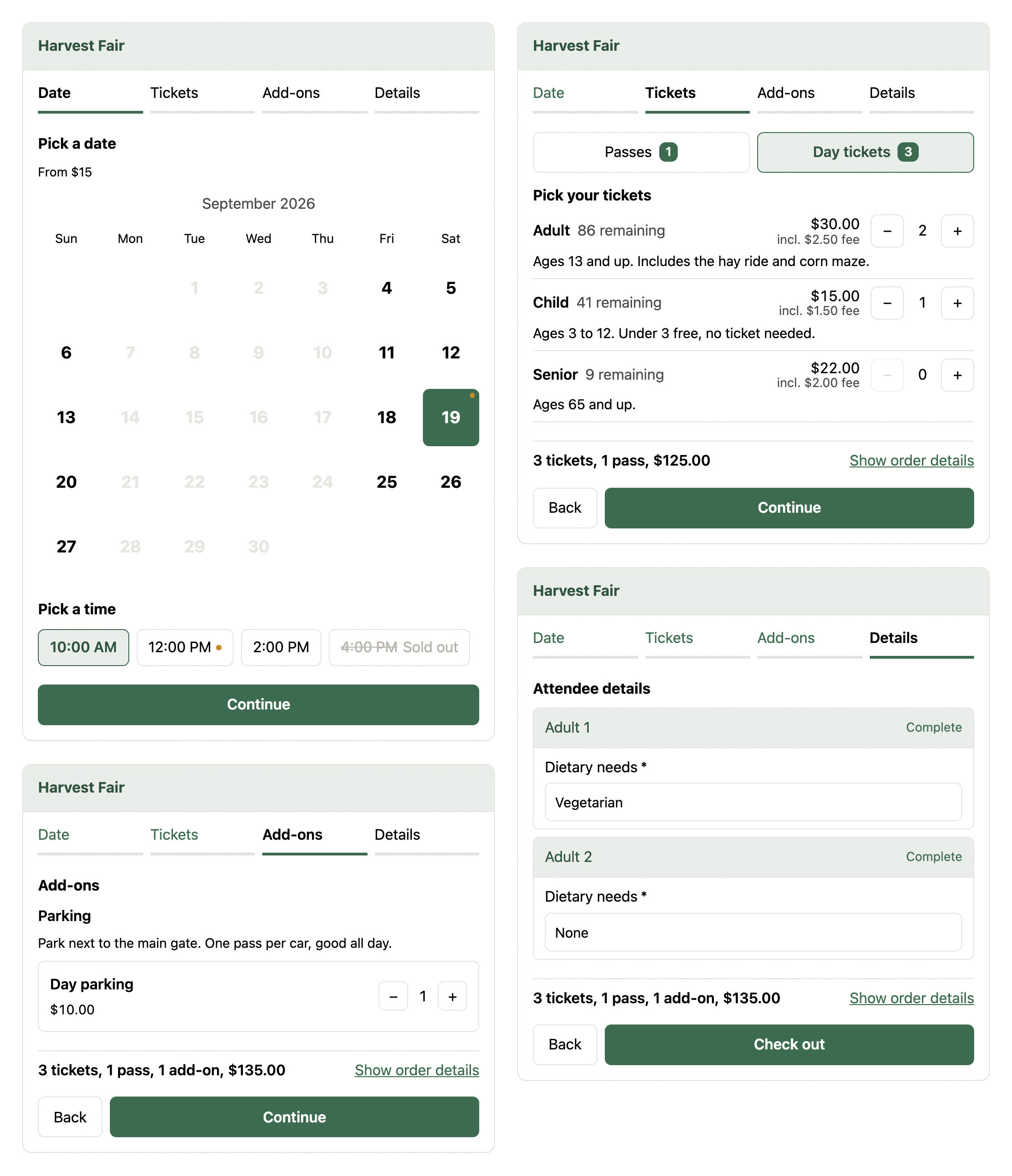
A new theme block walks buyers through the date and time, their tickets, add-ons and your questions, then on to checkout. It's on every plan.
Read more
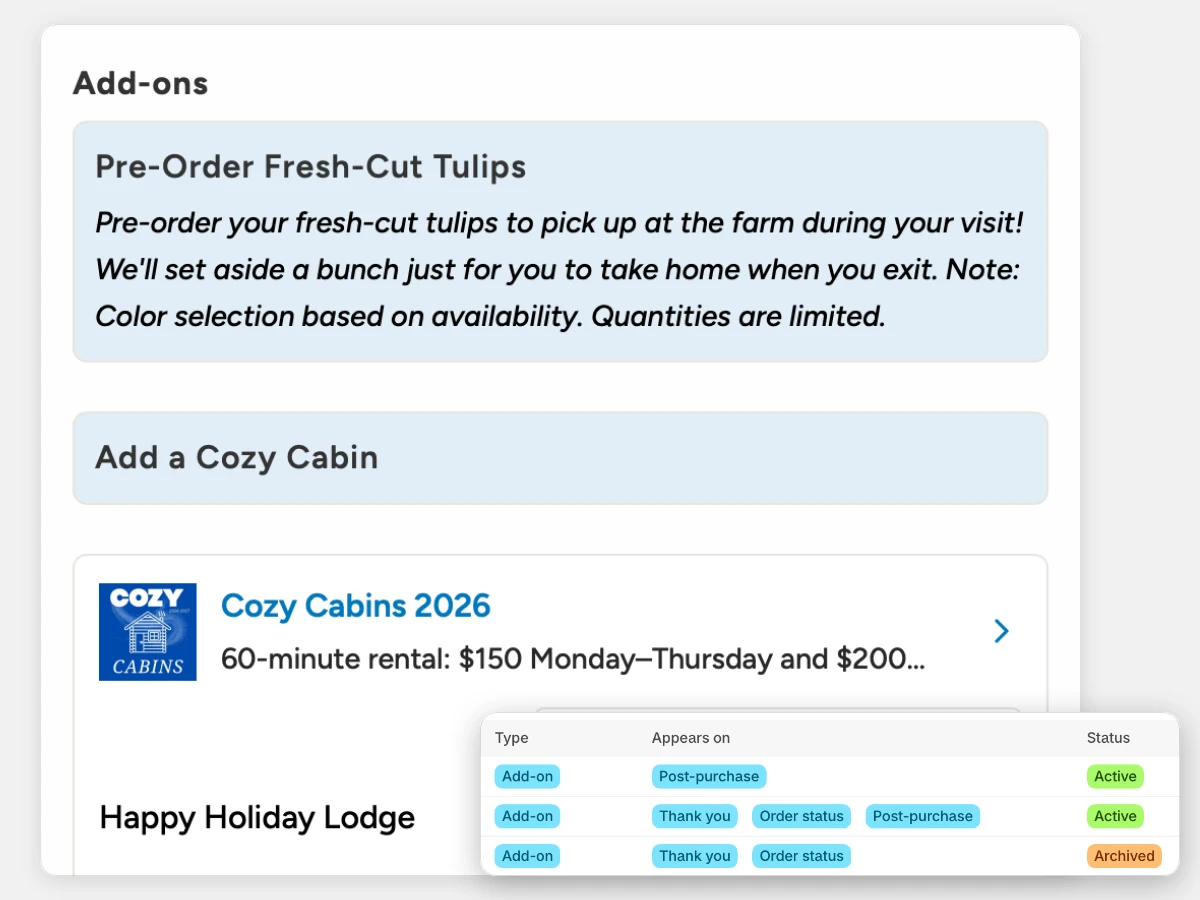
Suggest add-ons such as parking or merch on the Ticket picker, in the cart, after checkout and in POS, from the new Offers page.
Read more
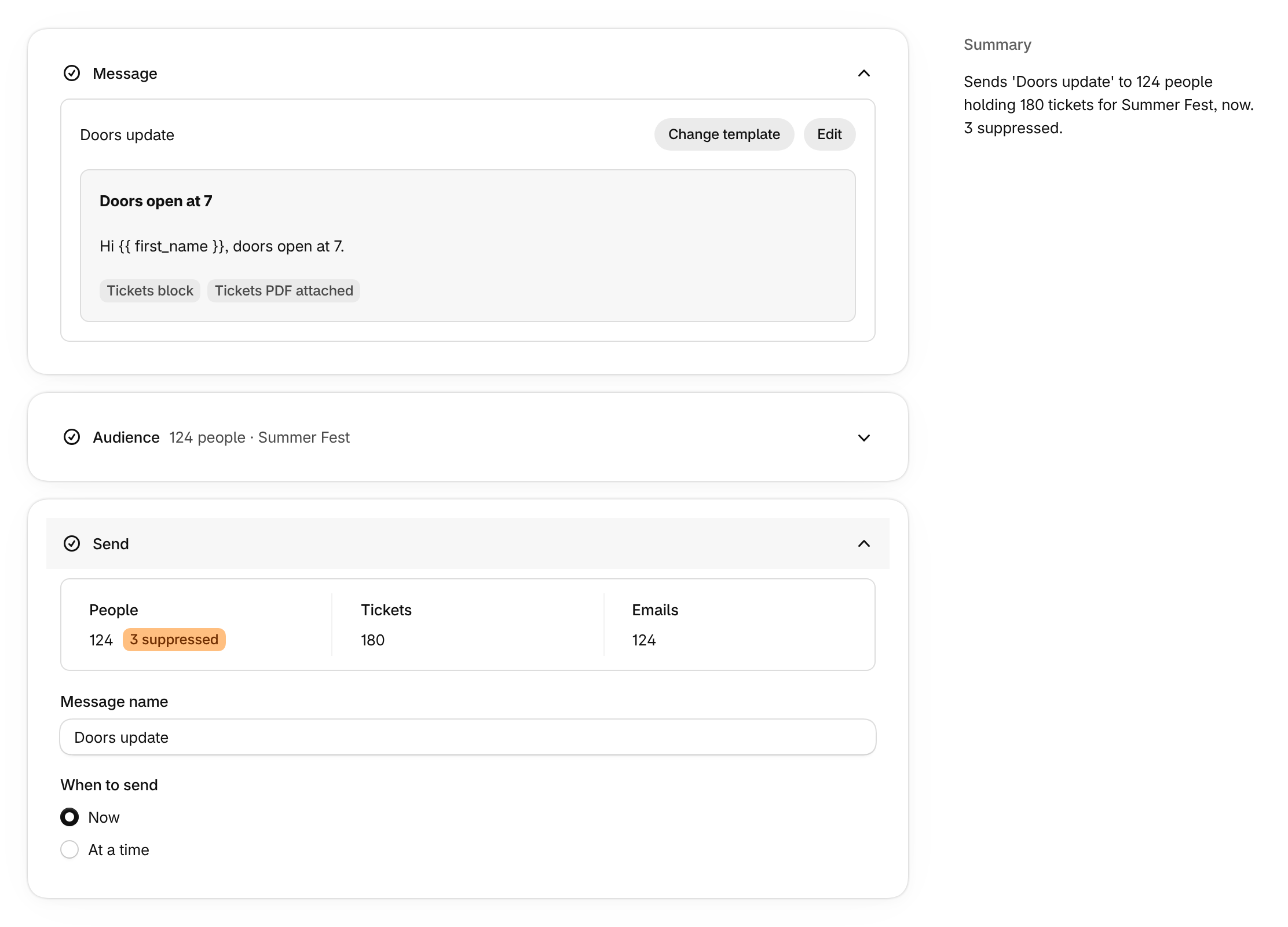
Write, schedule and track emails to your ticket holders, and send pre-event and post-event emails for every event, from the new Messages page.
Read more
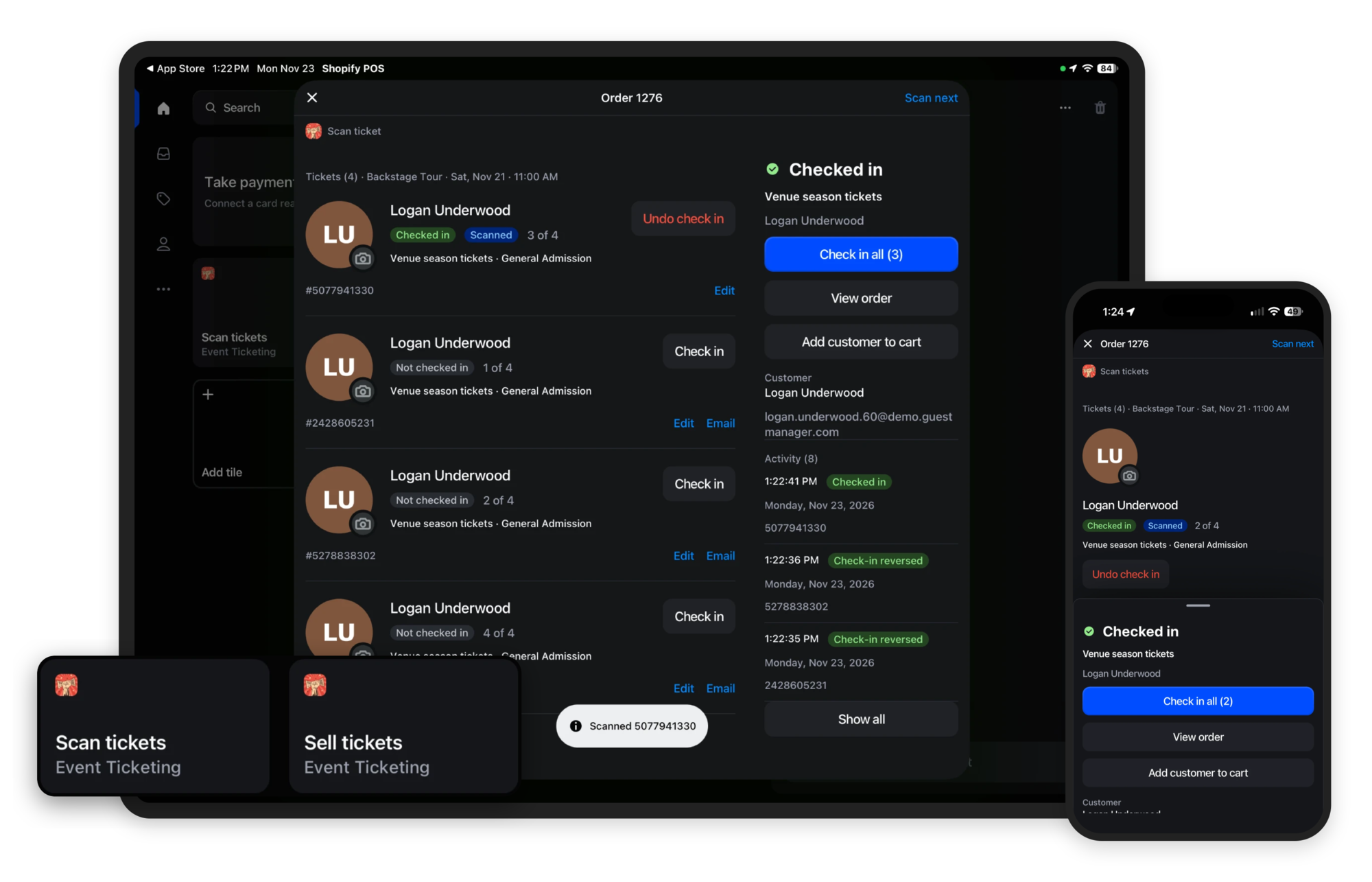
The POS scanner now works from one screen, lets you override a Too early or Too late refusal, and edits ticket and buyer answers.
Read more
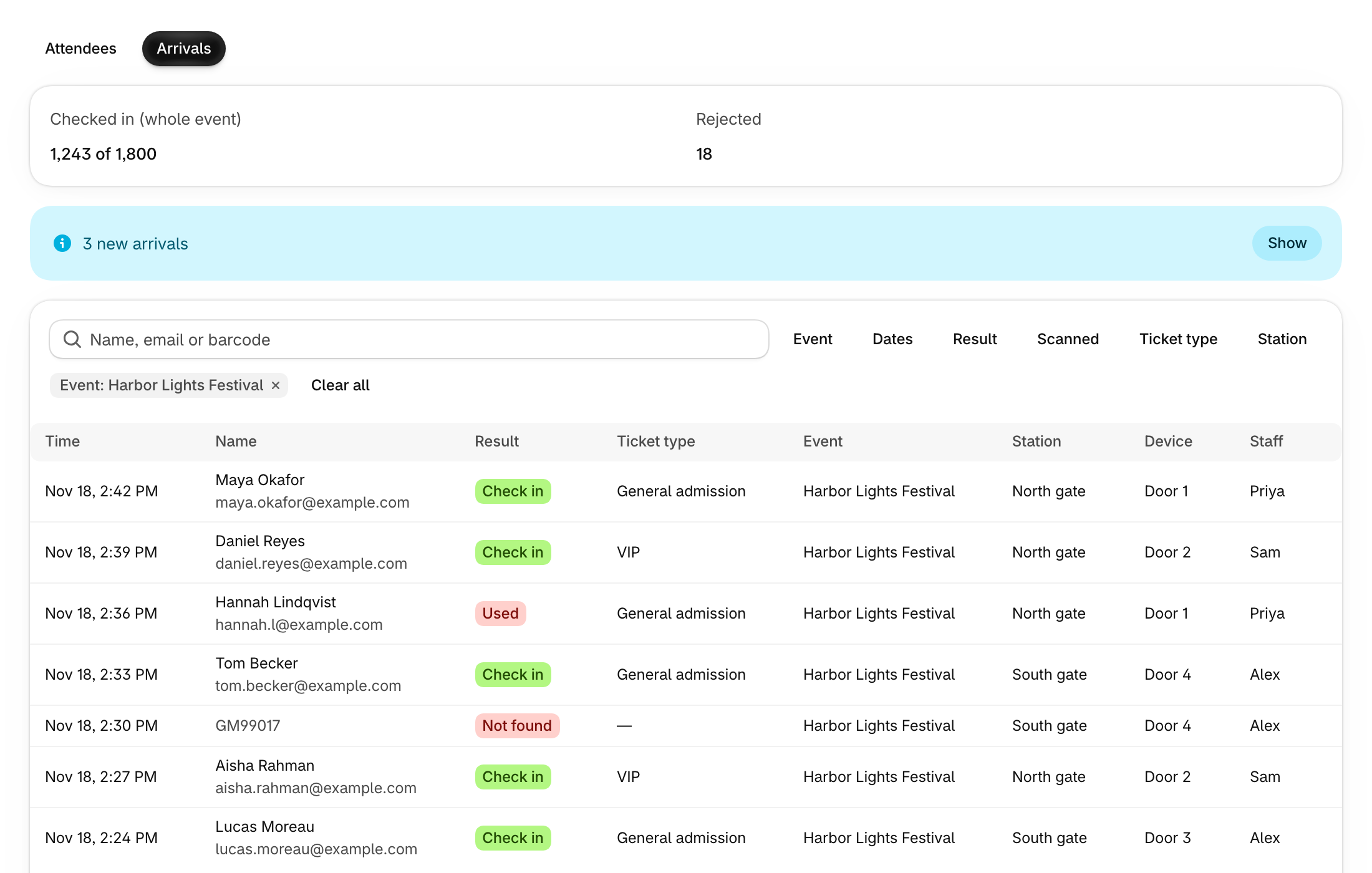
See every check-in and turned-away scan as it happens on the new Arrivals view under Attendees, with live counts for an event.
Read more
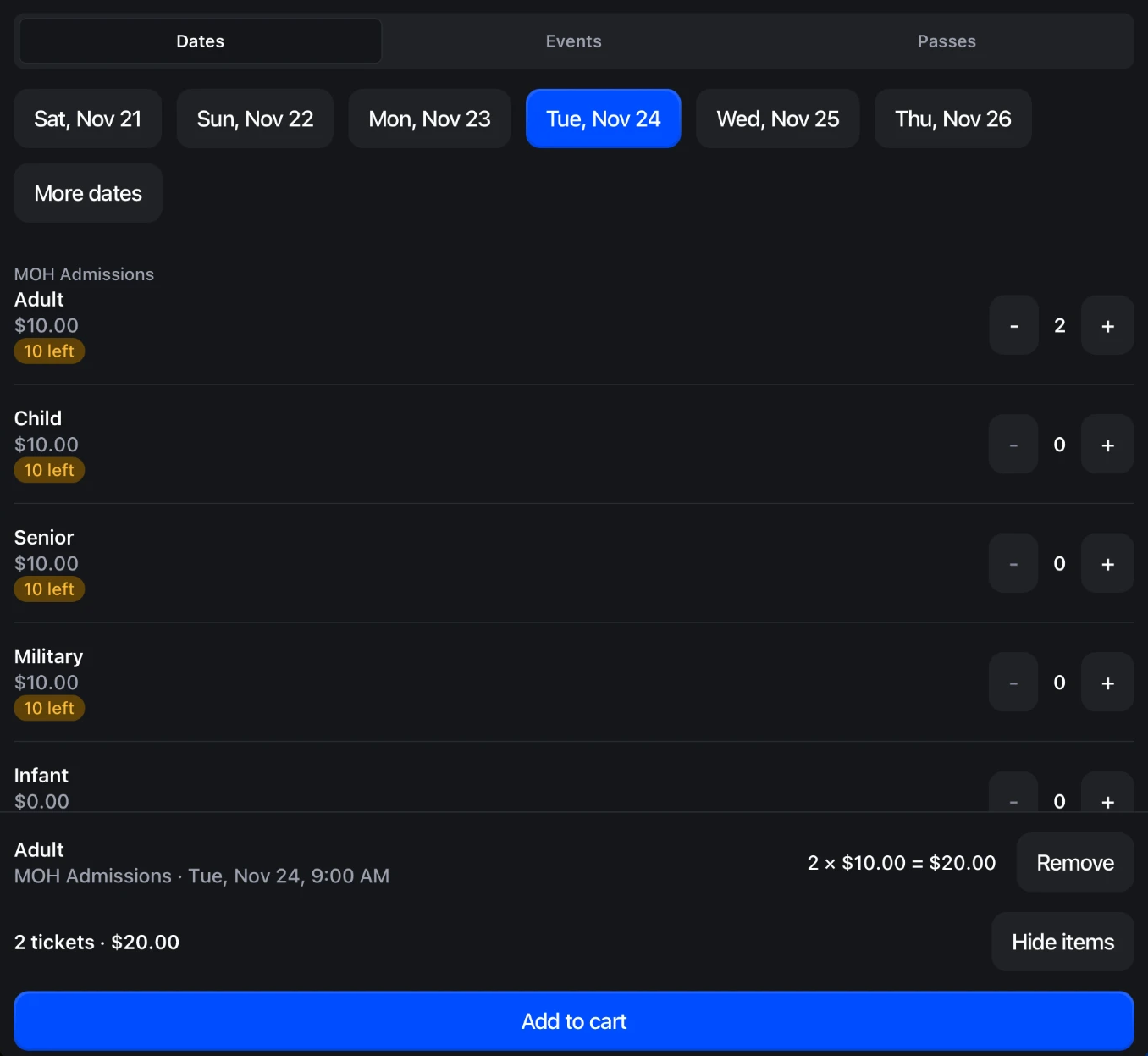
Pick a date, a time and tickets on the new Sell tickets tile in Shopify POS, then add them all to the cart in one tap.
Read more
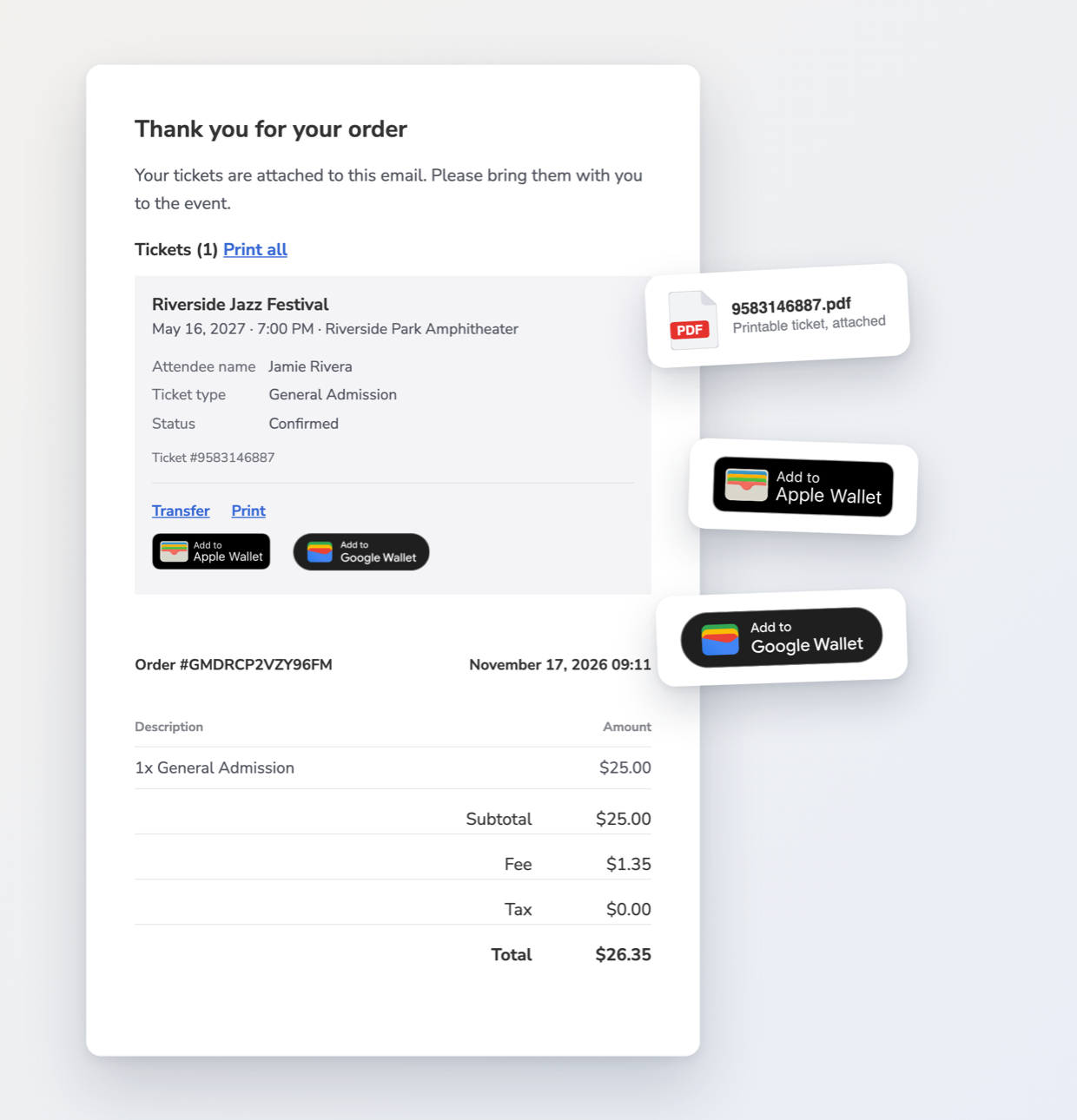
The Order receipt, which emails buyers their PDF and Wallet tickets, now comes with every plan, On Demand included.
Read more
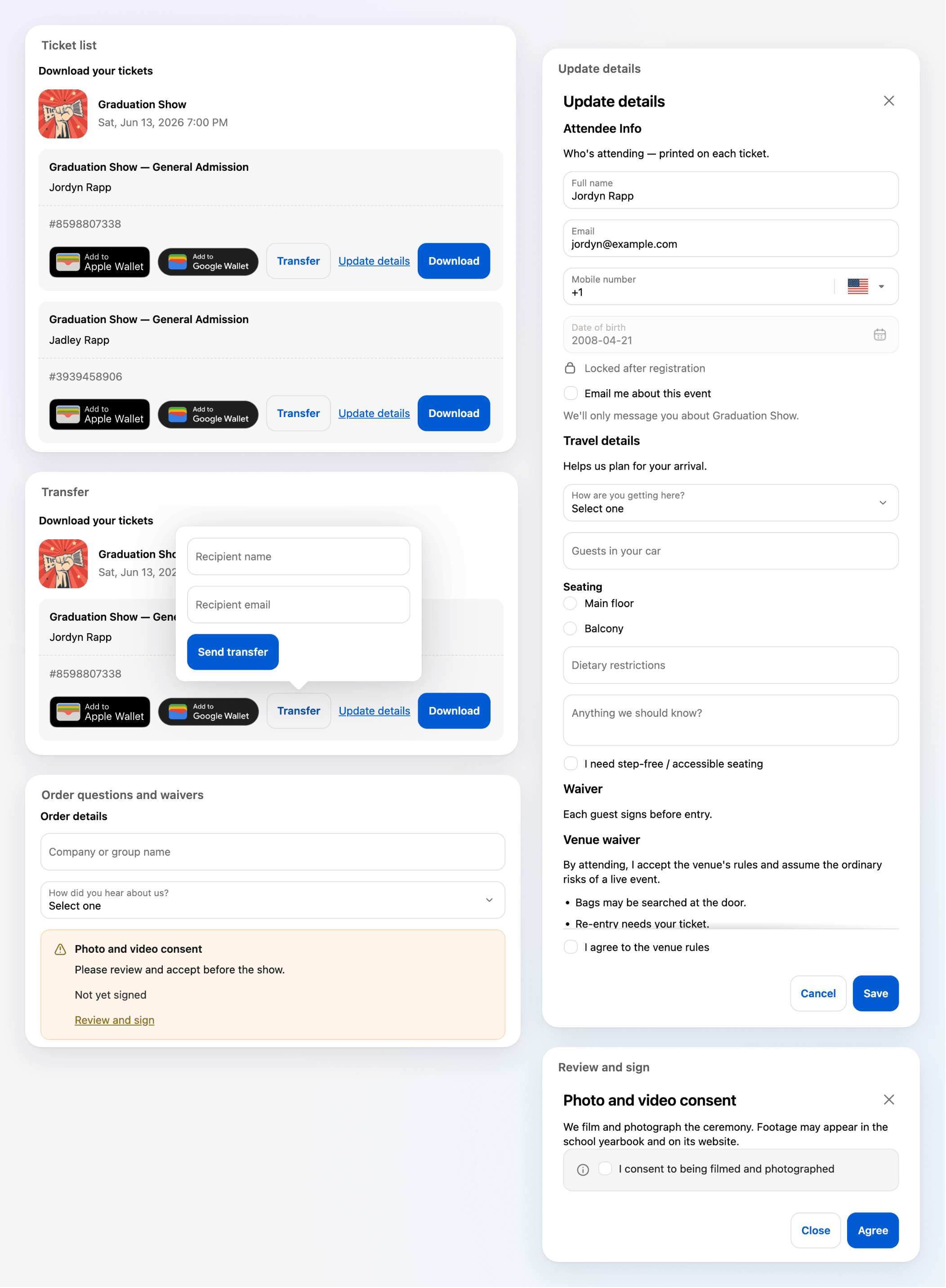
The Order tickets block on the thank you and order status pages has a new design, with each ticket's actions in one row and the event shown once at the top.
Read more
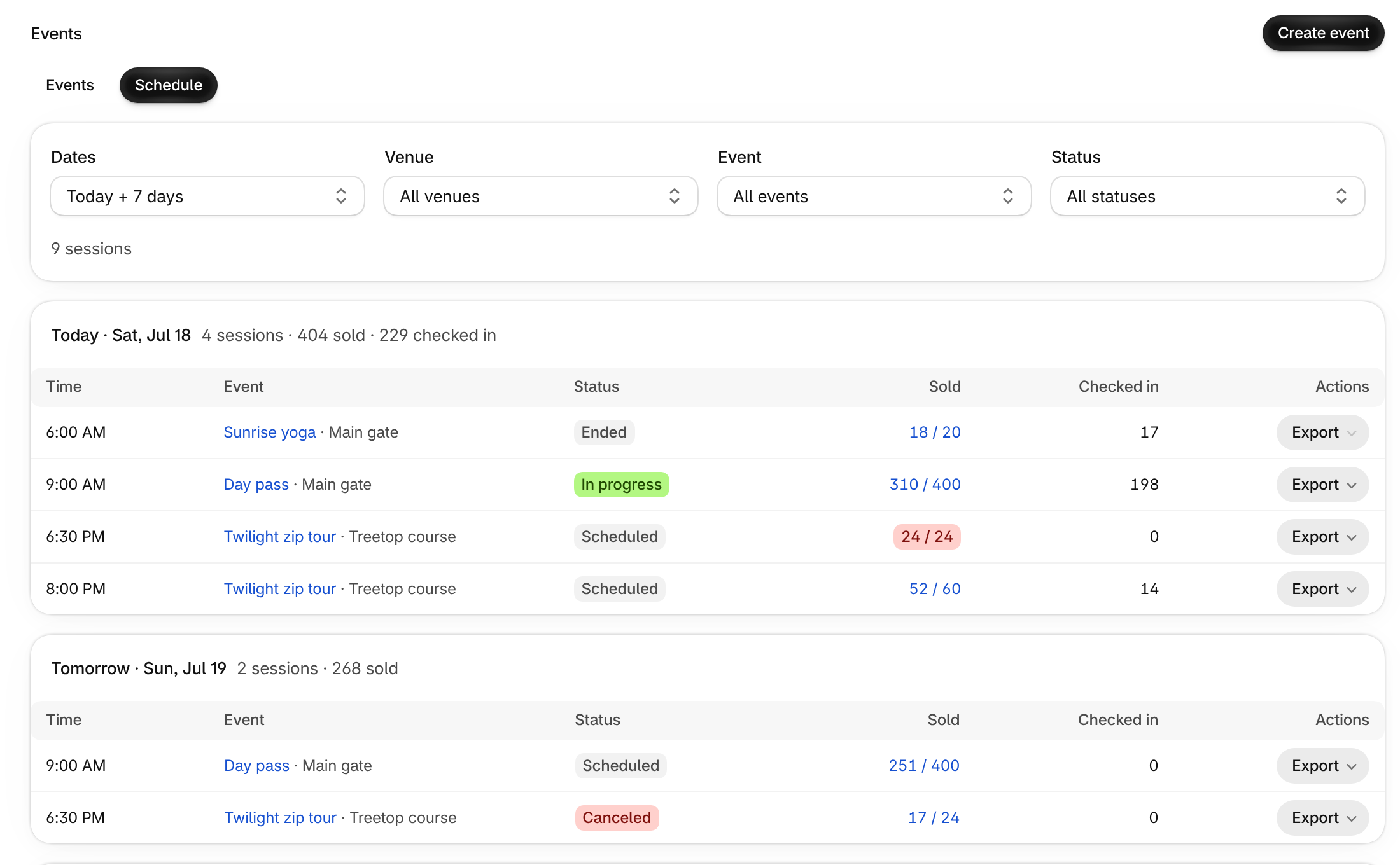
The Events page has a new Schedule view that lists every session by day, with tickets sold and check-ins.
Read more
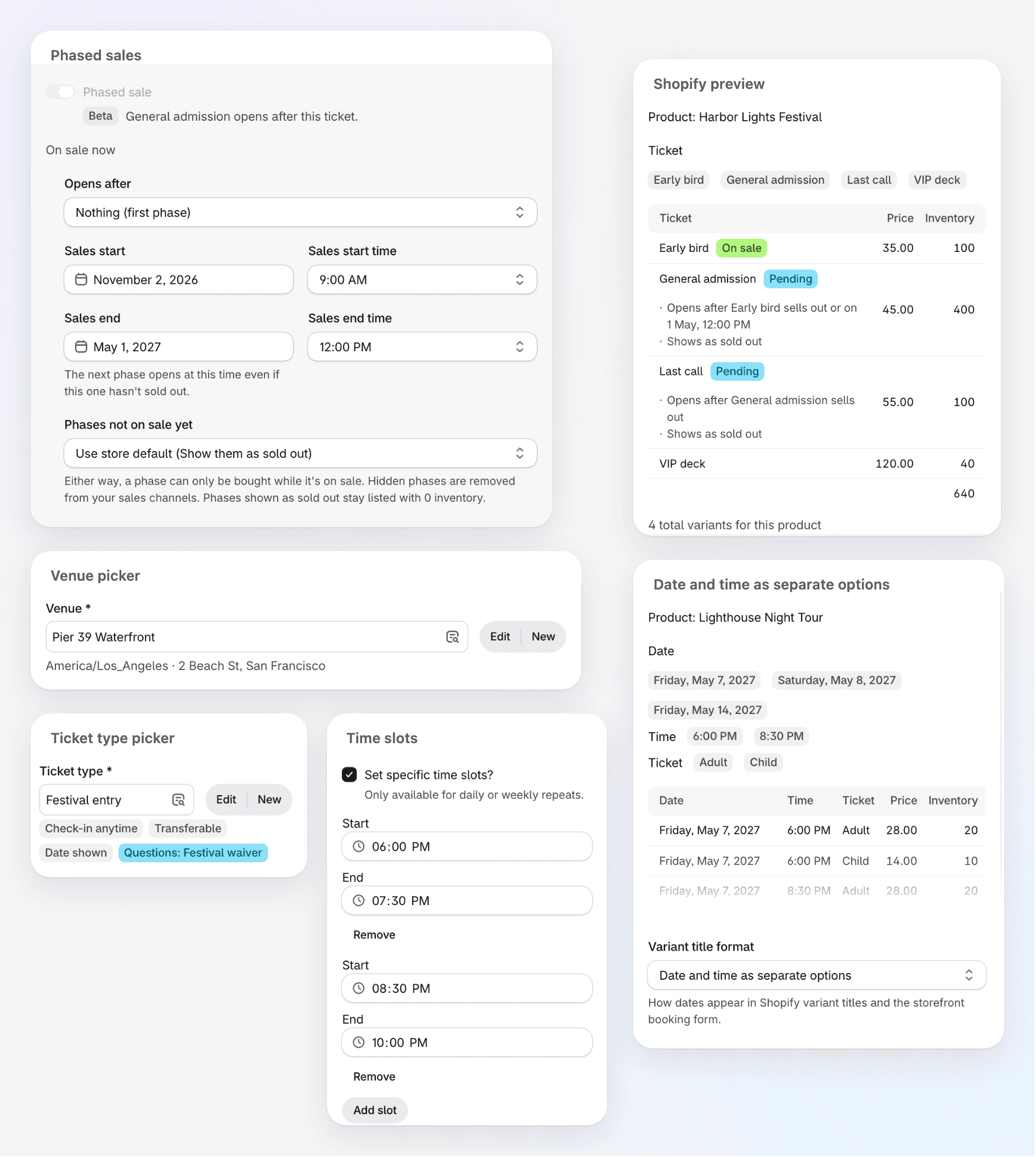
Every store now creates and edits events in the new event form, with phased sales, ticket type and venue pickers, and a clearer Shopify preview.
Read more
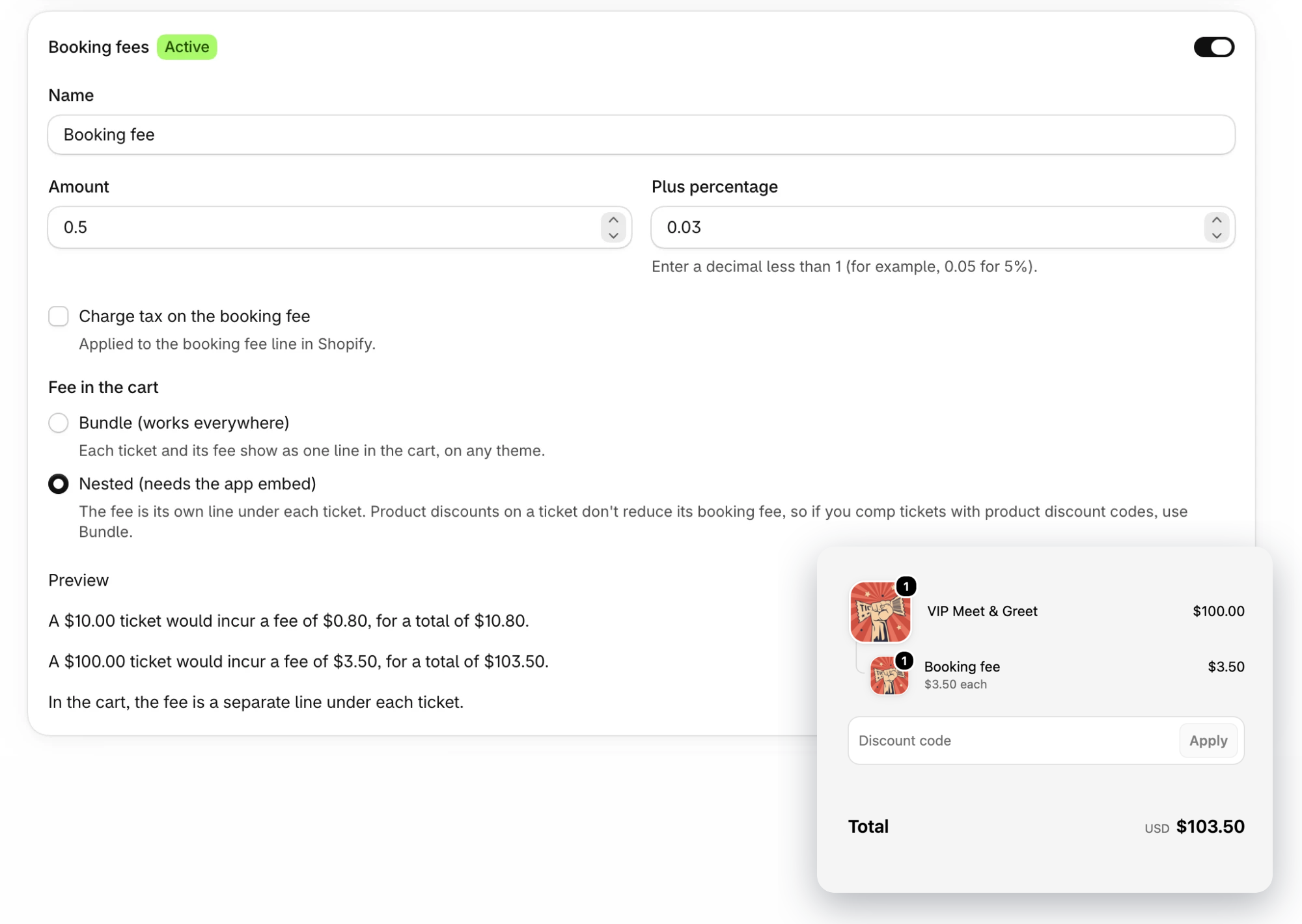
On the Professional and Plus+ plans, booking fees now add to each ticket in the cart and work on every Shopify plan.
Read more
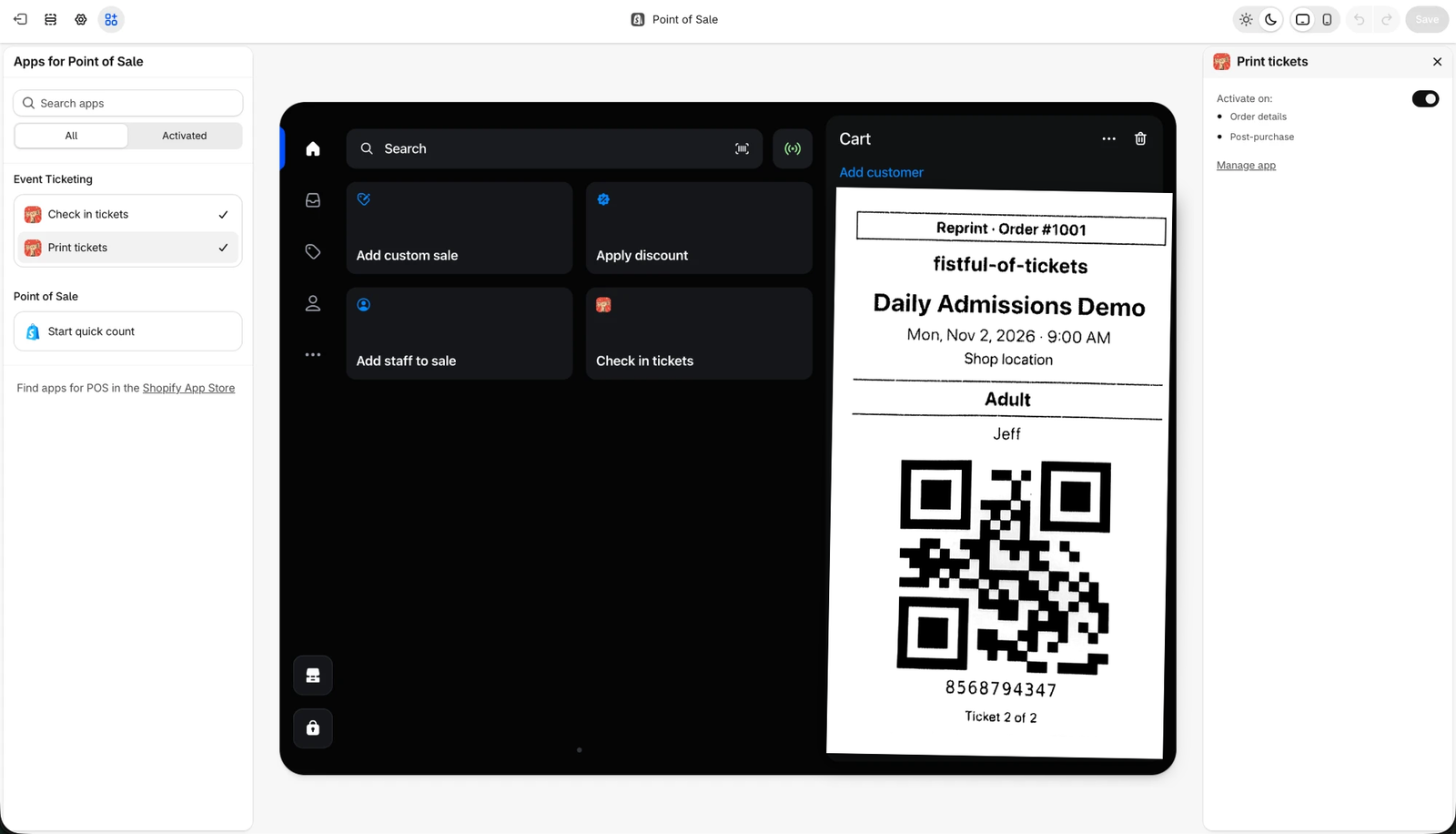
After a ticket sale in Shopify POS, print each ticket with its QR code on your receipt printer, and reprint from the order.
Read more
Event Ticketing now connects to your store with access tokens that expire every hour, in line with Shopify's new security requirement.
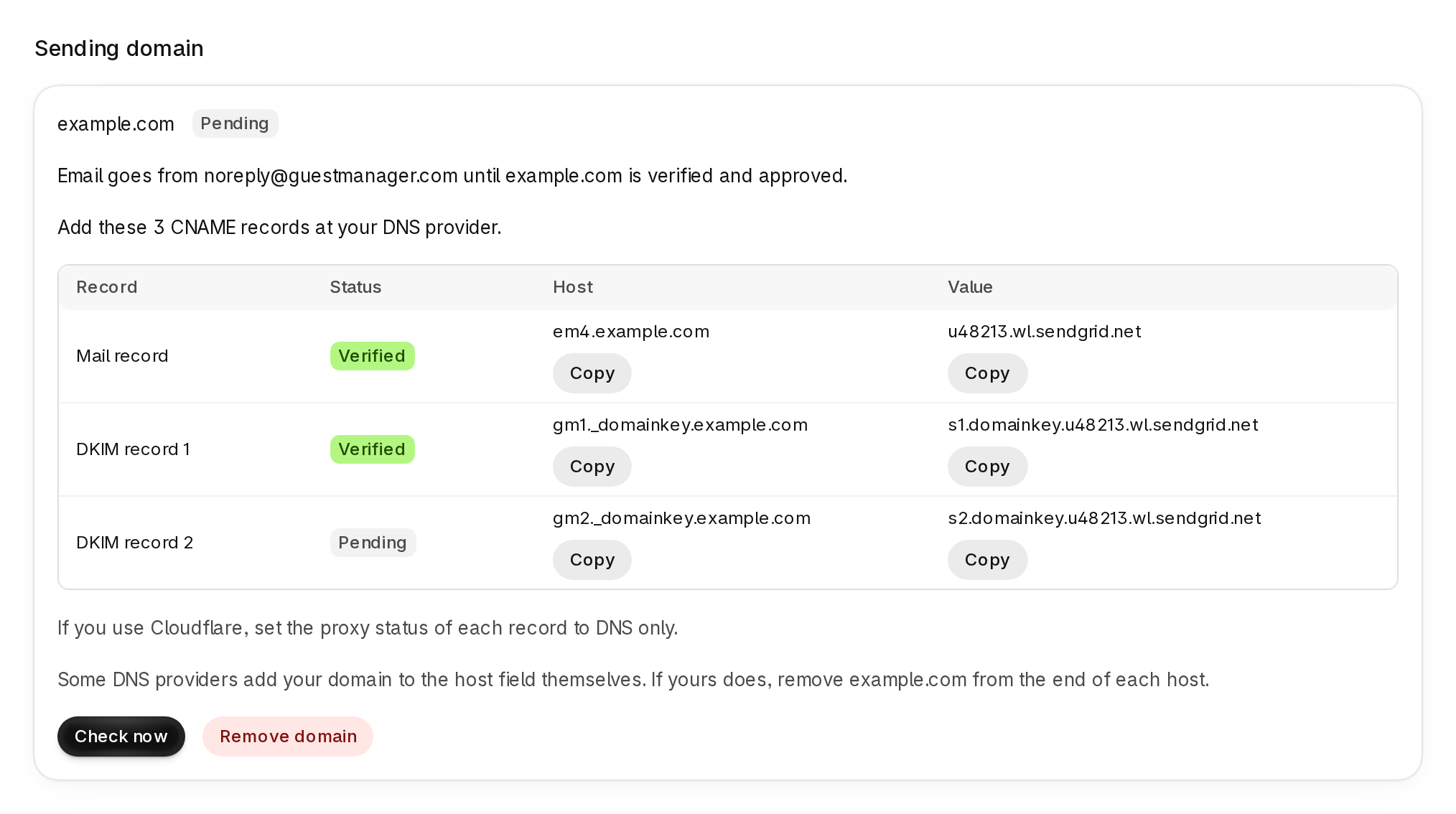
Read moreOn the Professional and Plus+ plans, authenticate your own domain so ticket and order emails send from your address.
Read more
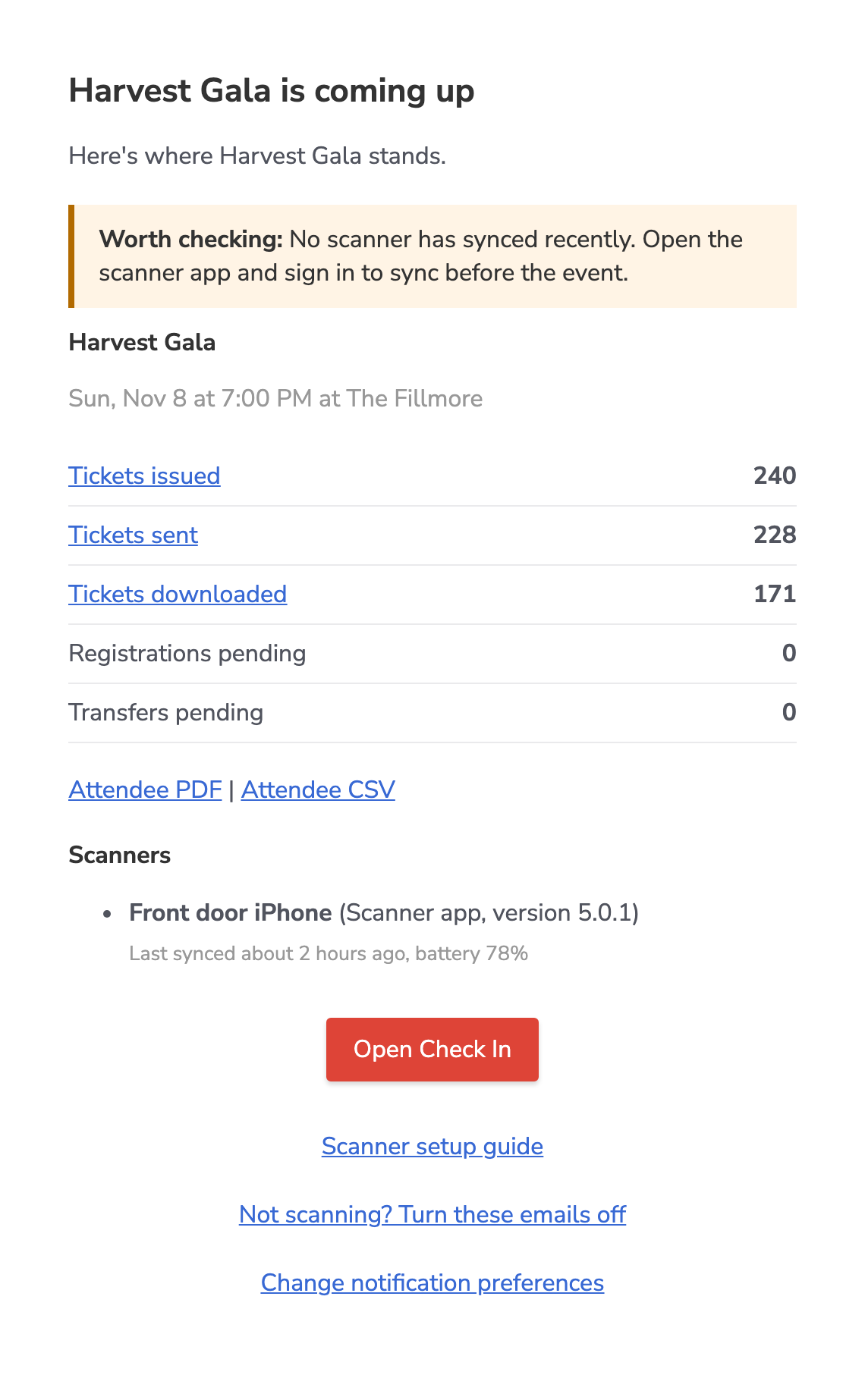
Before your events, an email now flags anything that could slow check-in, like scanner or ticket setup problems.
Read more
Deleted items stay in the trash and can be restored for 90 days, then they are permanently removed.
The Offset for Stop sales and Stop changes now has a Custom option, so you can pick any number of days up to 365, not just up to 7. Learn more
Set the blank space around a barcode. In the Shopify app's design editor, you can also print the order date on tickets and show block outlines on the preview. Learn more
Give each ticket type on an event its own question set, or Collect no questions, from the Question set row in Event setup, or on an event's ticket type in the dashboard. Read more
Choose Duplicate on any ticket, Apple wallet or Google wallet design to start a new one from a copy.
Pick a color for each ticket type in the event form, and the check-in app (version 5.0 and later) tints that ticket type's scan results to match your wristbands. Read more
The Ticket Order Form now gives attendee and buyer questions full-width fields and clear labels, even on themes that don't style forms. Learn more
Settings > Store now lists the Shopify Flow triggers the app provides, with a link to the setup guide. Flow triggers need the Professional plan or higher. Learn more
Print attendee list on the event page and in game-day emails now works on every plan, for events up to 5,000 tickets, and opens the file directly. Learn more
Until your account is approved, links to other websites are removed from your Order receipt blurb, and a subject, heading or intro that links to another website is sent with the default wording instead. Links to your store still work. Learn more
Features your plan doesn't include now show a plan badge, what they do and an Upgrade to unlock link.
The event form now shows a hint when an event name's date differs from its start, or a ticket name mentions a day or time. Learn more
Game-day emails now warn when your buyers don't get their tickets automatically, with a link to add the block and a button to resend tickets.
You now get an email when the end of sales archives or deletes one of your Shopify products, saying why and linking to the event. Learn more
After your first sales, we email you if buyers aren't sent their tickets automatically or an event has no ticket design, with how to fix it. Learn more
Customer sync and new phased sales now need the Advanced, Professional or Plus+ plan, and stores already syncing customers keep it. Read more
When a ticket can be transferred only until it is downloaded, guests now confirm before downloading it and see why Transfer is off afterwards.
The Recurrences card now reads top to bottom, from start date and pattern to times and end, and hides options that don't apply.
When the Order tickets block is missing from checkout, the app now marks it Required and shows the steps to add it. Learn more
Analytics and a Stats page on Contacts now show new and returning customers, visitors and pass usage, and the schedule shows each day's customers.
An email the recipient's mail server delayed now says so on the order and attendee pages, and that it is retried automatically.
Each ticket type now has a Transfers setting (Always, Until downloaded or Never). Learn more
Where it appears now lists Storefront and Attendee form separately, and new questions show on every buyer and attendee page by default. Learn more
A pass covers every date of its event, so it no longer shows a start date on the order status page, emails, PDF tickets or Apple wallet.
Each question now has an Answer on transfer setting, and waivers ask the new ticket holder to sign by default. Learn more
A customer who unsubscribes from email marketing in Shopify no longer gets your campaign emails, while their tickets and order emails still send. Learn more
On the Advanced plan and up, your event page now links Print attendee list and Export attendee list, per session for multi-date events. Learn more
Scan the QR code on a ticket printed from Shopify POS to check the guest in from Shopify POS. Check-In 5.0 is coming soon, and with it the QR code also opens the guest's ticket on a phone. Learn more
Edit an attendee's answers on their page in the app, with the ticket's QR code, order, downloads and check-ins in a side panel.
The Attendees status filter now offers Transferred and Unfulfilled, and its chips name the statuses and ticket types you picked.
On the Orders page you can now resend tickets to every order matching your filters, and the confirm shows how many will be emailed. Learn more
Each plan on the Billing page now names the monthly ticket volume it suits best, from under 80 tickets to over 3,600.
Email templates can now show a dated event's parent event name, so a time slot's email can name the series it belongs to. Learn more
Alongside orders, imports and changes from other devices, connected scanners now also get new and edited tickets, accepted transfers and guest registration changes within seconds.
The Event setup card now lets you give each ticket type its own PDF ticket and Apple wallet design, picked from your library or made new.
An order's page now lists each ticket's attendee, type, registration status and dates, with a link to copy for pending registrations.
Emails from Guest Manager support now end with links to the help docs, what's new, and a reply address for support or feedback.
Event report emails now show check-ins, no-shows and turned-away scans by ticket type, and several events on one day arrive as one email. Learn more
A What's new card on your home, events and settings pages now shows the latest product updates, with See all for the full list.
Shopify Flow triggers now send a Date Name field with a date's own name, left blank when it uses the event's name. Learn more
New stores now start with PDF and wallet ticket designs, so the setup guide no longer asks you to design tickets.
An order's page now has Email tickets and Refund buttons, so you can resend tickets or start a refund without going back to the list. Learn more
An Ask Sidekick button on an event's products card checks whether the event is ready to go live, and the setup guide keeps its button in view.
Sidekick in your Shopify admin can now look up your events, orders, tickets, check-ins and sales from Event Ticketing.
Read moreCampaign bounces, and transactional bounces past 10 a day, now arrive in one digest email instead of one notice per bounce. Learn more
The plans page lines up each plan side by side, links features to help articles and notes that every plan has unlimited tickets.
Templates now name the email they are for, pickers offer only matching ones, and transfer templates must keep their action links.
If you sell in more than one currency, Analytics and the check-ins report now tell you money totals are not converted.
Questions at checkout, My Tickets, ticket changes and your storefront blocks now show in German for German-speaking guests.
Connected scanners now update within seconds when you change scan rules, and a refused scan says when the ticket is valid.
When guests change their tickets, sold-out time slots are now greyed out and tickets that stay put show an Unchanged badge.
Event pages now show a Store setup card that checks whether buyers can reach their tickets, with a link to add the checkout block.
Ticket designs can now stretch the background to the edge or keep it inside the margins, and show a venue's address and postcode.
Pick 12 or 24 hour times in your store settings, and times on emails, tickets and guest pages follow it.
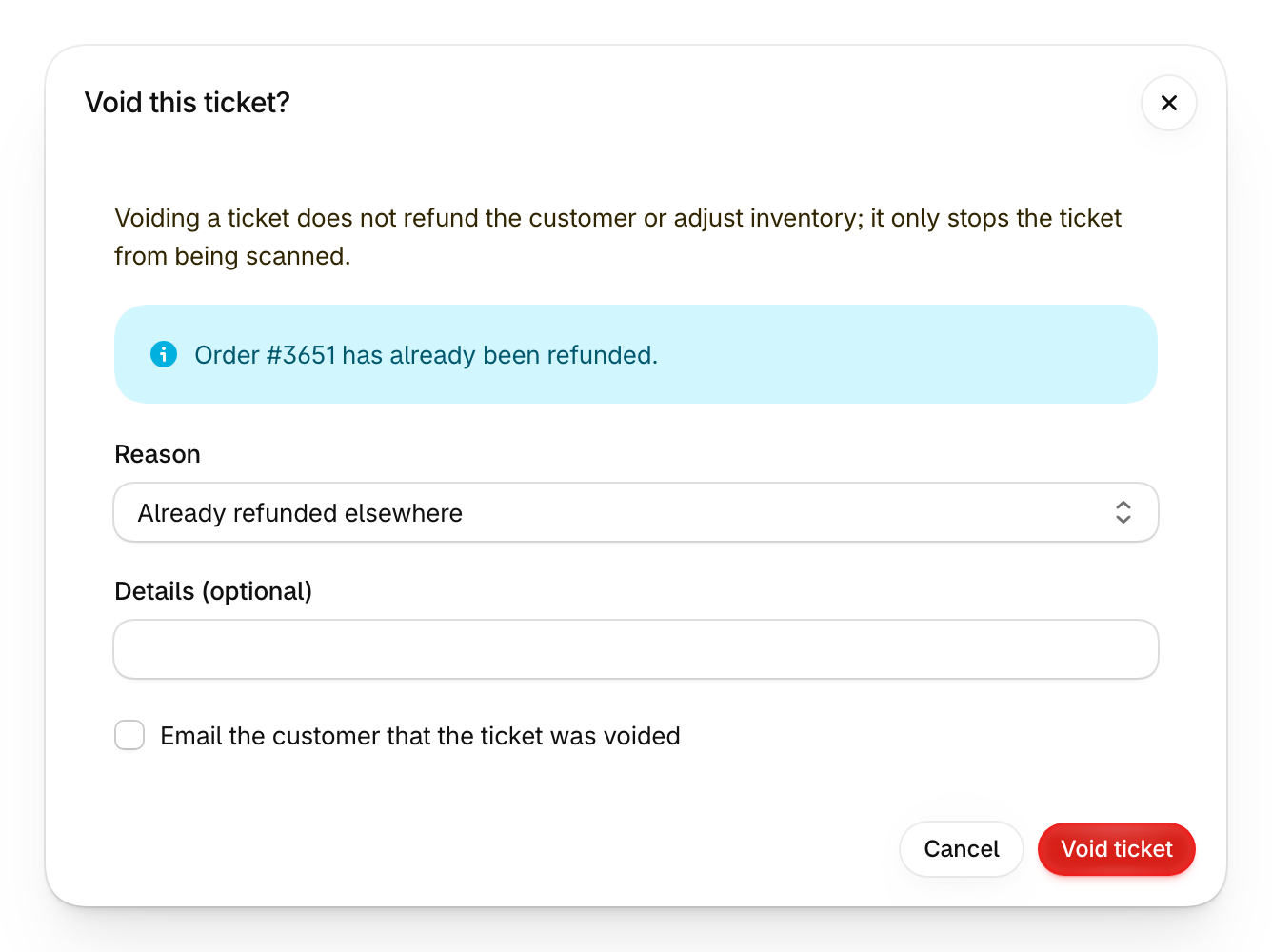
Void one ticket or several from the Attendees page, with a reason and an optional email to the guest.
Read more
Each attendee page now shows a ticket's transfers and who received them, and the tickets API can return them too.
New ticket products can now default to Unlisted, so they sell by direct link but stay out of search and collections.
Through the API, a ticket type can now sell online, at point of sale only or nowhere, and carry a description shown on your calendar. Learn more
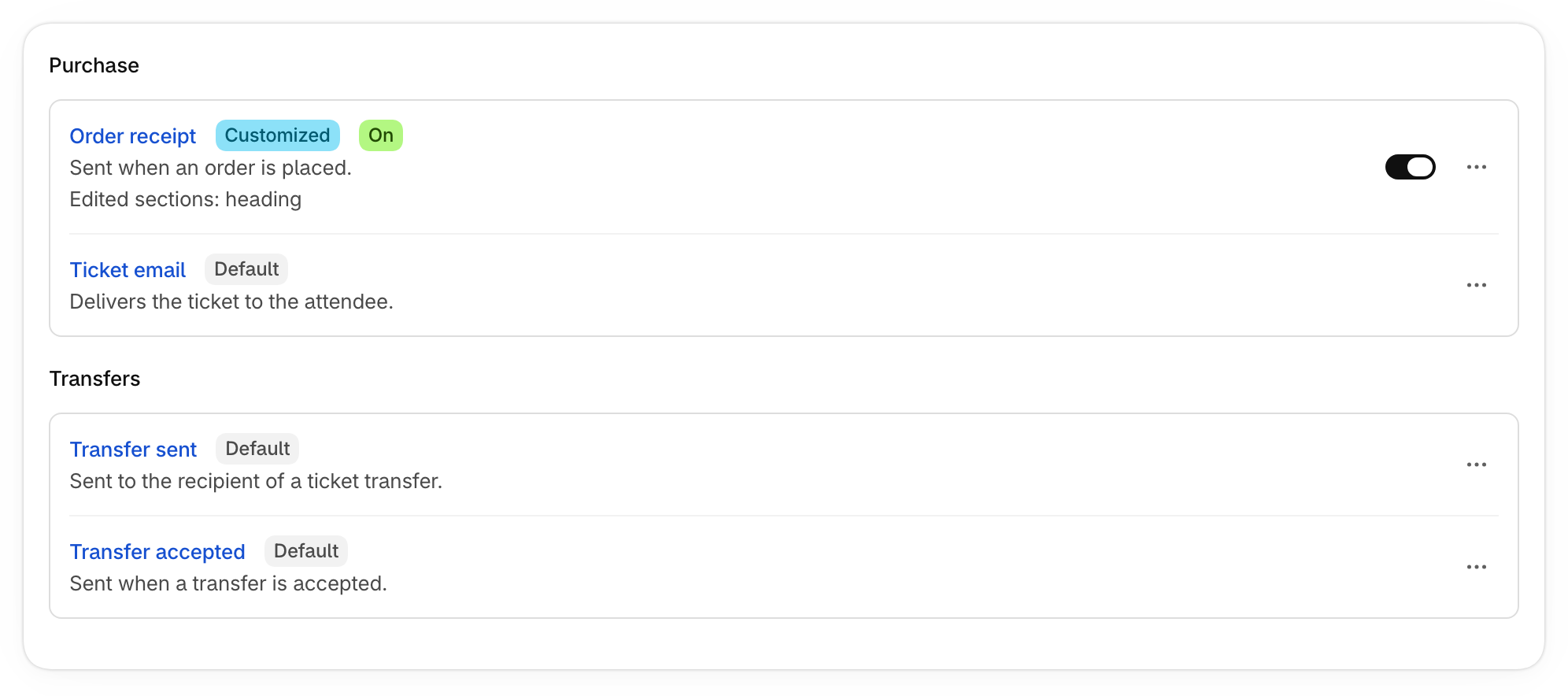
Settings now has Brand, System emails, Custom templates and Sender preferences, and on some plans each event can use its own saved email template.
Read more
Staff notification emails now have a one-click unsubscribe link.
Guest emails, PDF tickets and checkout text now follow your store's language when it is Dutch or Italian.
Your instructions and terms in the order status blocks, and your waiver terms, now keep their paragraphs and lists.
The Events page now filters by venue and by date, with presets or a custom range, and keeps your filters in the link.
The Attendees, Sales and Orders pages in the app now have an Export button that opens the matching export in Guest Manager.
Your brand banner and accent color now appear on ticket, pass and order edit pages, and on email links and buttons.
Attendee and scan exports can now include order channel, payment method, discount codes and each ticket type's reporting code.
Order receipts now send Shopify buyers to their order status page with a View your order button.
If your store is on Shopify Plus and you are on the Professional or Plus+ plan, buyers and attendees can answer questions and sign waivers in checkout.
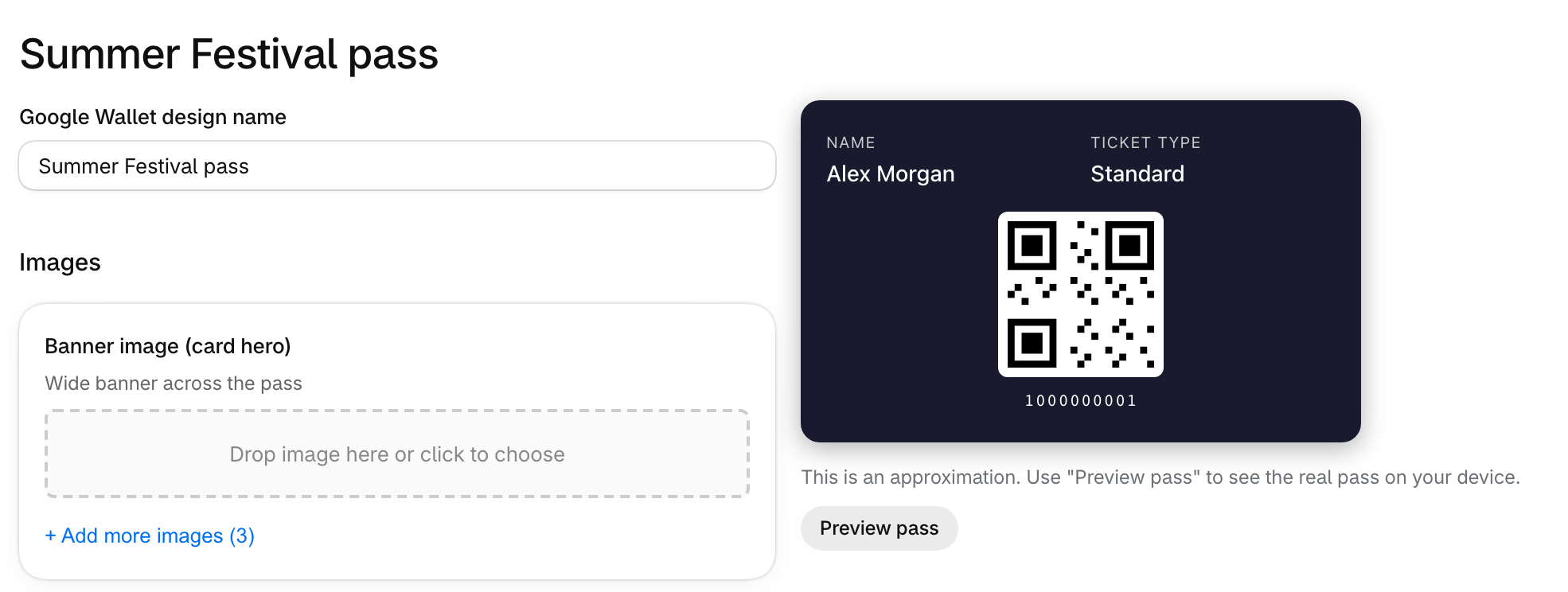
Read moreGuests can now add their tickets to Google Wallet from emails and the order status page, and you can design the pass for each event.
Read more
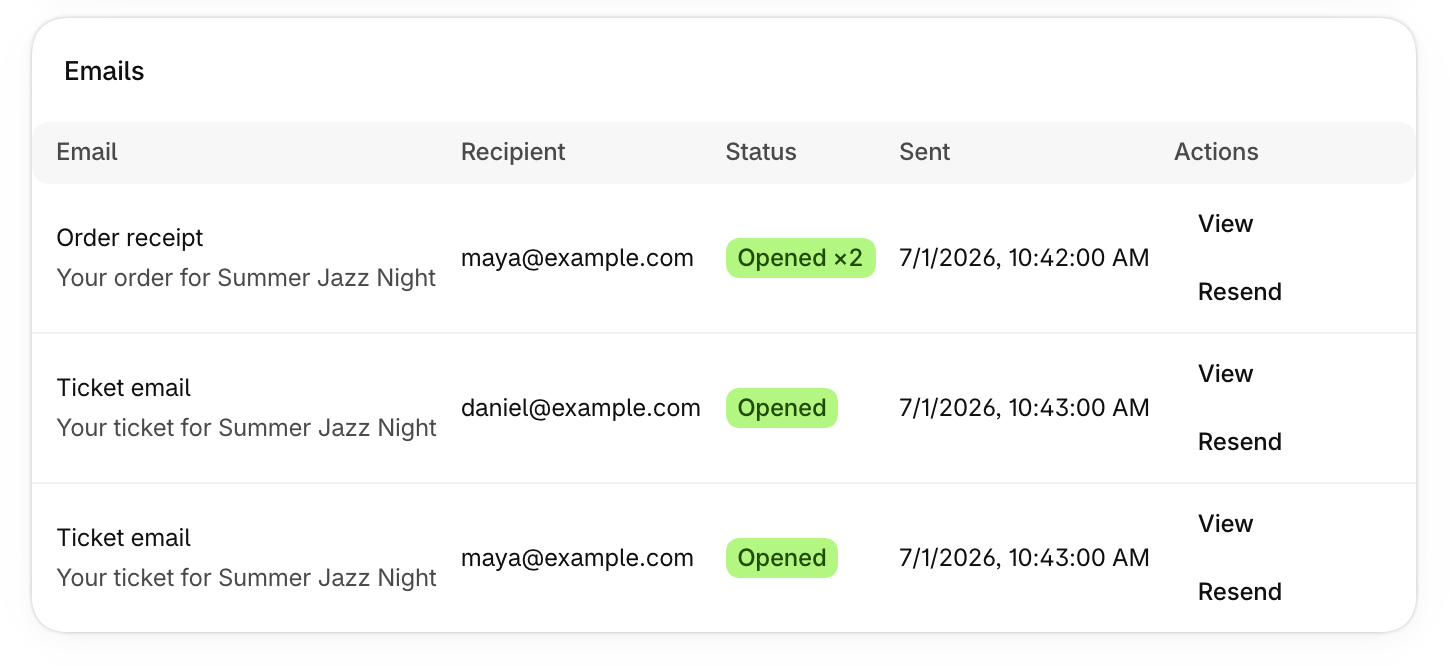
Open any order to see its tickets and the emails sent for it, and see email activity on each attendee's page too.
Read more
On the Professional and Plus+ plans, add the Change tickets block so guests can switch to another date or ticket type from their order.
Read more
Guests can now transfer a ticket to someone else, or cancel a transfer, right on the order status page.
Read moreIn the POS scanner, tap a ticket photo to enlarge it, and take or retake photos from the Edit screen. Learn more
Set whether new ticket products charge tax by default in Products & sales settings.
Choose the organization name shown on your Apple Wallet passes, in the design editor or through the API. Learn more
Refund emails now show the gift card or discount code clearly, and the refund message and subject are optional.
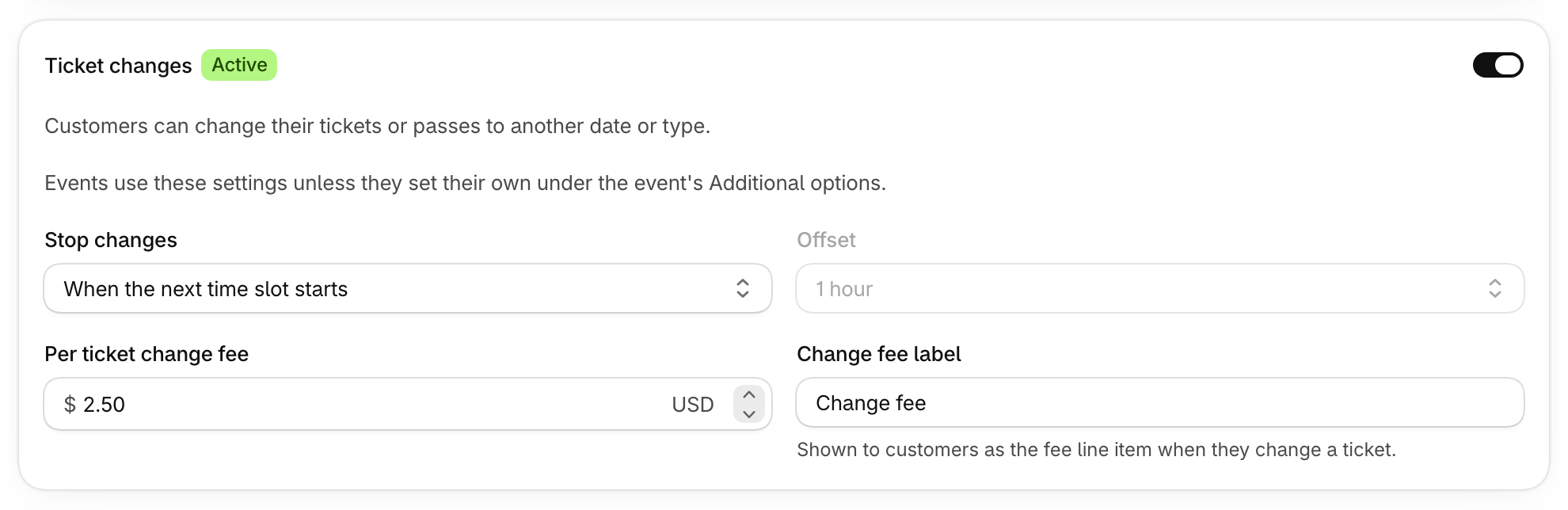
On the Professional and Plus+ plans, set when guests can change tickets, and any change fee, for every event in Products & sales. Learn more
Ticket transfer, multiple ticket and check-in emails now show your event image or logo at the top.
When guests change their tickets, the review and confirmation steps now show the new date. Learn more
Register and edit button labels are now set on the question set, not on each ticket type. Learn more
In a question set, choose whether each answer appears on PDF tickets, Apple Wallet passes and name badges. Learn more
An event's setup page can now turn questions off for that event, or activate an inactive question set in place. Learn more
Sales can now stop when the next session starts, and the Sales page shows when sales stop for each date. Learn more
The home, Settings and Events pages now suggest settings worth turning on, and you can apply most of them in one click.
The Events page now shows whether each event is a draft, unlisted, archived or failed to sync, and event pages explain why one is not live.
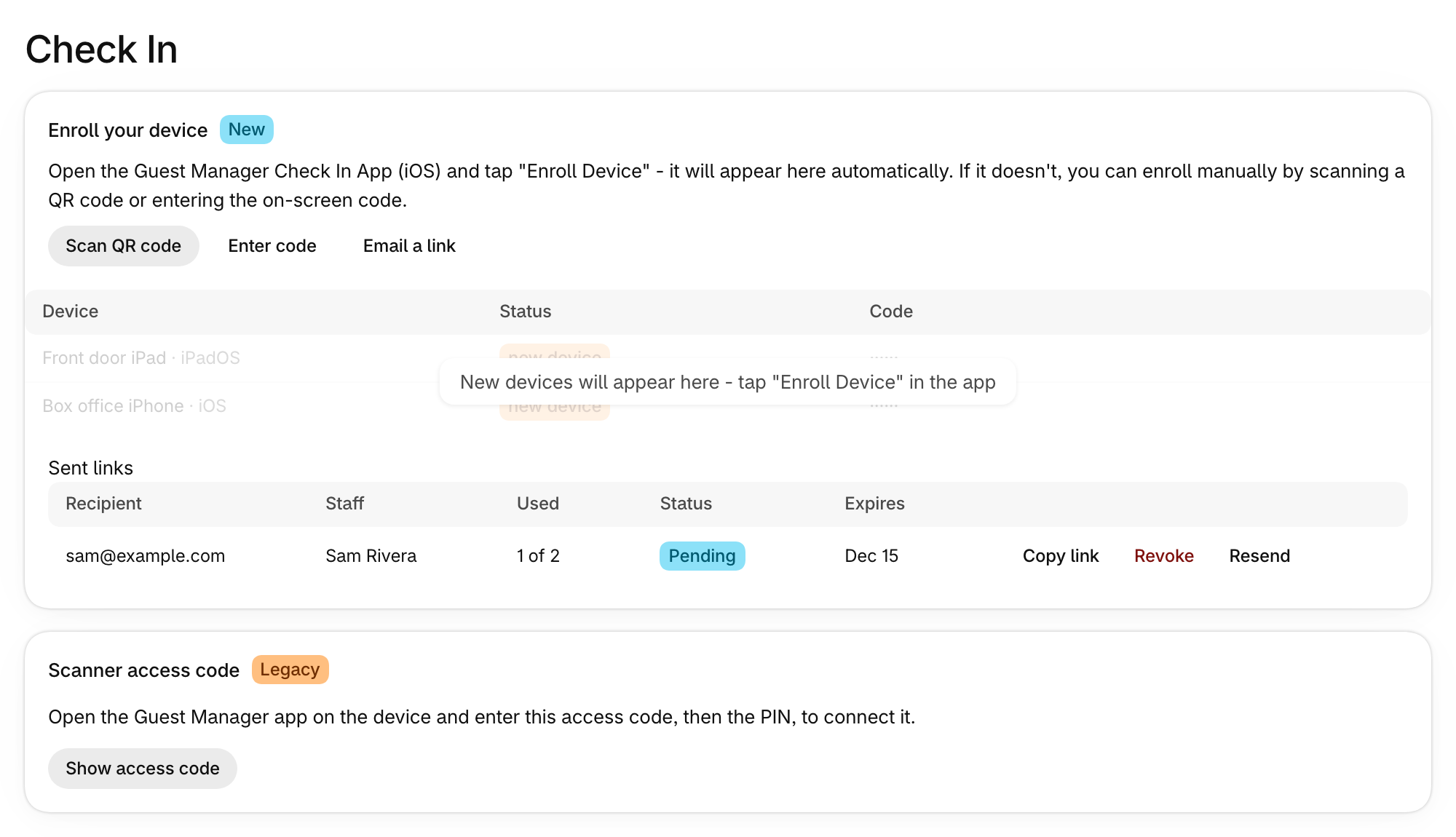
The Check In page now lists phones and iPads asking to join so you can approve them by code or QR, or email them a sign-in link.
When you cancel a ticket, the pass in your guest's Apple Wallet now updates to show it is no longer valid.
Guests can now sign waivers and upload photos or files on the order status page, and answer questions without opening a popup. Learn more
Guests can now see and update their registration answers, and sign waivers, from the My Tickets page in their customer account. Learn more
Settings now lists your question sets with search and a status filter, and you can rename, activate or delete a set from its row. Learn more
The question set editor now shows whether each place you collect answers is set up, with preview links to check it. Learn more
Question sets now include a Phone question, and you can rename the built-in Name, Email, Phone and Photo questions in each set. Learn more
Saving an event that would go over Shopify's variant limit is now refused with an error, instead of failing during product sync. Learn more
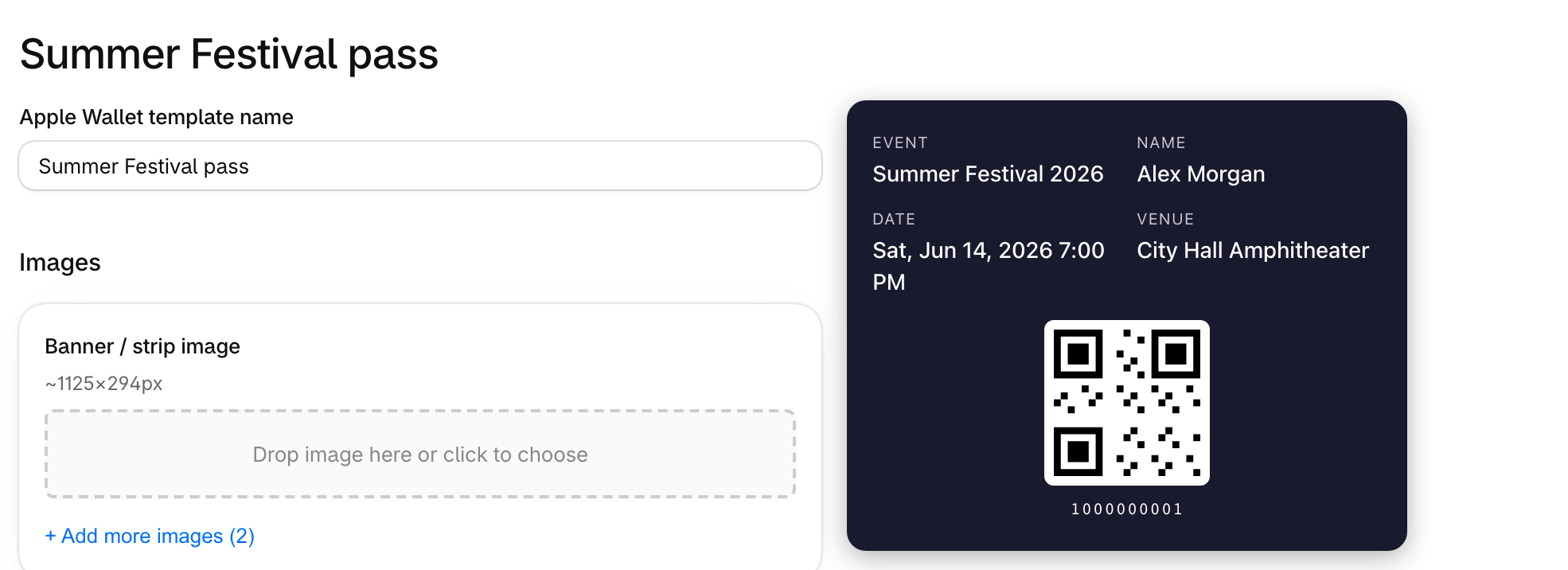
Design PDF tickets and Apple Wallet passes in a new editor with a live preview, plus ready-made PDF styles and your own ticket fields.
Read more
Add a My Tickets page to Shopify customer accounts so guests can see all their tickets in one place.
Read moreBuild question sets in a new editor: add and reorder questions, choose who answers and where, and reuse a set across events.
Read more
The new Check In page shows how to start scanning, your scanner access code, and the devices and staff that can scan for you.
Read more
Custom PDF tickets now accept SVG backgrounds, print the barcode number, and can add a Code 128 barcode next to the QR code.
Recurring events can now have up to 2,000 dates, and large events keep more dates in a single Shopify product.
Archive an event to hide it from your store while keeping its tickets and sales history, and restore it later.
The storefront calendar can now hide long product descriptions, and it preselects one ticket when there is only one option.
Mark a ticket type as required so every order for the event must include it, for example a main admission with add-ons.
Pick the Shopify location that stocks your tickets, or turn inventory off, and see a warning when a setting would hide tickets.
Add an existing field to a question set, manage all your fields in one place, and get a warning before changing a shared field. Learn more
You now get an email and an event banner with one-click re-sync when a ticket product is changed outside the app.
Event and ticket names you translate in Shopify Translate & Adapt now show translated in your storefront calendar and ticket form.
Order receipts, ticket transfer emails and storefront ticket text now follow your store's French, German or Japanese language.
The home page setup guide now opens your next step and links straight to the checkout and customer account editors.
Each event page now shows its dates and sessions, who saved it last, a save history, and which sales channels list its products.
Your design library now has search and an archive, and image uploads check size and type and can be removed.
Deleting an event or date that has sold or checked-in tickets now asks you to confirm first, in the app, the dashboard and the API.
A new Sales page shows what each ticket type of an event has sold, with price, stock and totals.
Turn on attendee sync in Settings to add every ticket holder to your Shopify customers, with their answers on customer and order pages.
The Orders page now has a Refunded tab and payment status badges, and a refund cannot be submitted twice.
Group questions into sections, and show a question or section only when an earlier answer matches. Learn more
New customer counts now count each guest once by email, including additional guests on an order.
Guests can now answer your registration questions in a form on the order status and thank you pages. Learn more
The Attendees page now filters by event, shows a result count, and adds custom field columns when you pick one event.
Guests who try to download a ticket before finishing required registration are now taken to the registration page.
When an email has more tickets than it can attach, it now includes a button to view them online.
The POS scanner now shows round guest photos, initials when there is no photo, and a Back to Scanner button at the top.
Apple Wallet tickets now appear on your guests' lock screen around the time of the event.
The storefront calendar now shows every session of an event, even when it has more than 250.
Marketing campaign emails now support one-click unsubscribe in Gmail, Yahoo and other inboxes. Learn more
Ticket emails are no longer resent to addresses that bounced in the last 90 days, and imports flag Apple private relay addresses.
The ticket attachment email now uses the standard receipt design, and a template you customized stays editable from Settings.
Events, Orders, Settings, Attendees and Billing now have a Setup guide button at the top right.
When you save an event, the sync banner now shows each step as it runs and tells you when your products are ready.