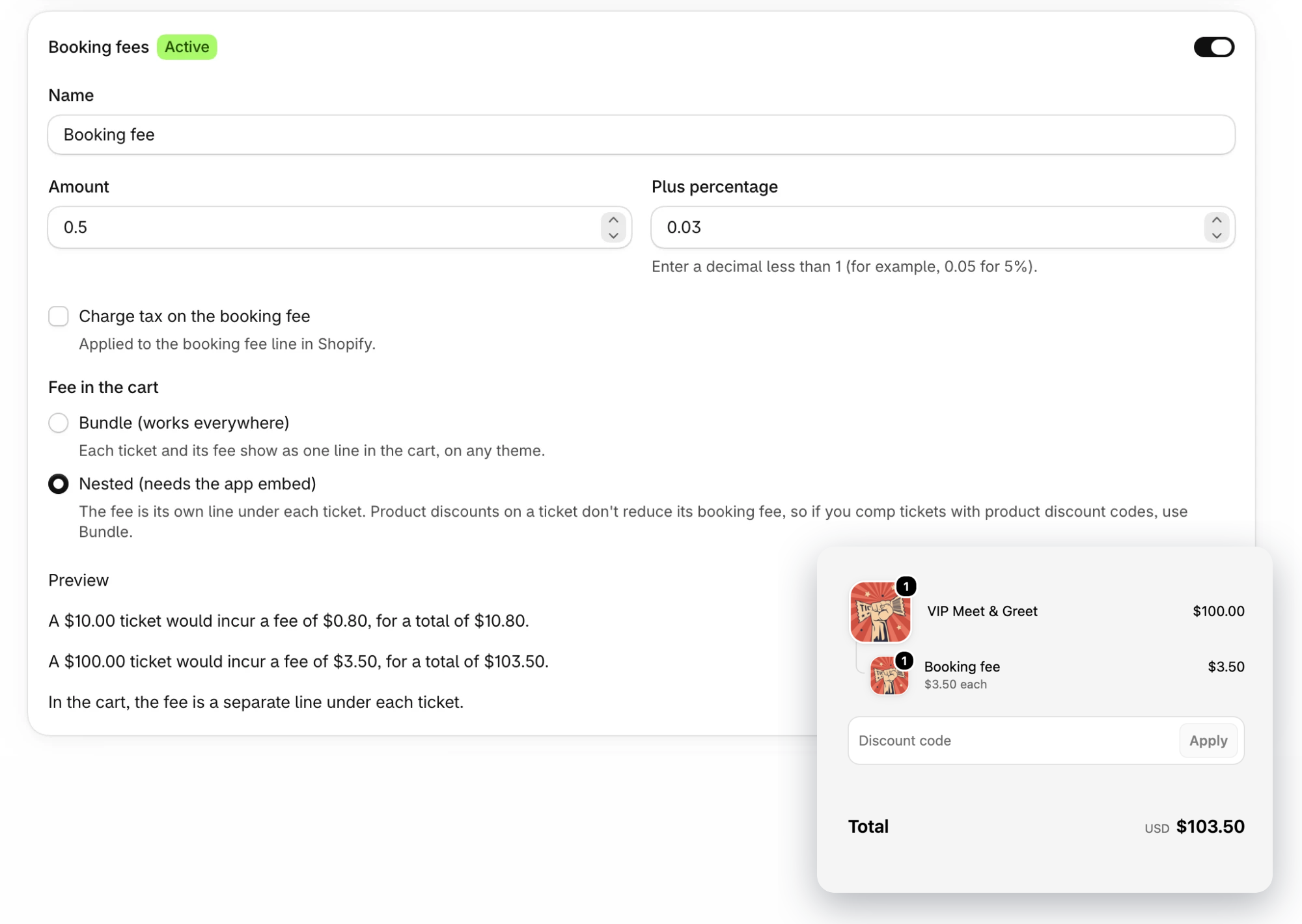
Booking fees no longer go through carrier-calculated shipping. The fee is added to each ticket in the cart, so it works on any Shopify plan and no longer shows up at the delivery step of checkout.
Where to find it
In the Shopify app, open Settings, then Products & sales, and turn on Booking fees.
How it works
- Set a Name, an Amount, a Plus percentage, or both. The Preview shows the fee on a sample ticket.
- Tick Charge tax on the booking fee if the fee is taxable.
- Under Fee in the cart, choose Bundle (works everywhere) to show each ticket and its fee as one line, or Nested (needs the app embed) to show the fee as its own line under each ticket.
- Free tickets get no fee.
If your booking fee already uses carrier-calculated shipping, a banner with a Switch to new booking fees button offers a one-click switch. It keeps your fee name, amount and percentage.