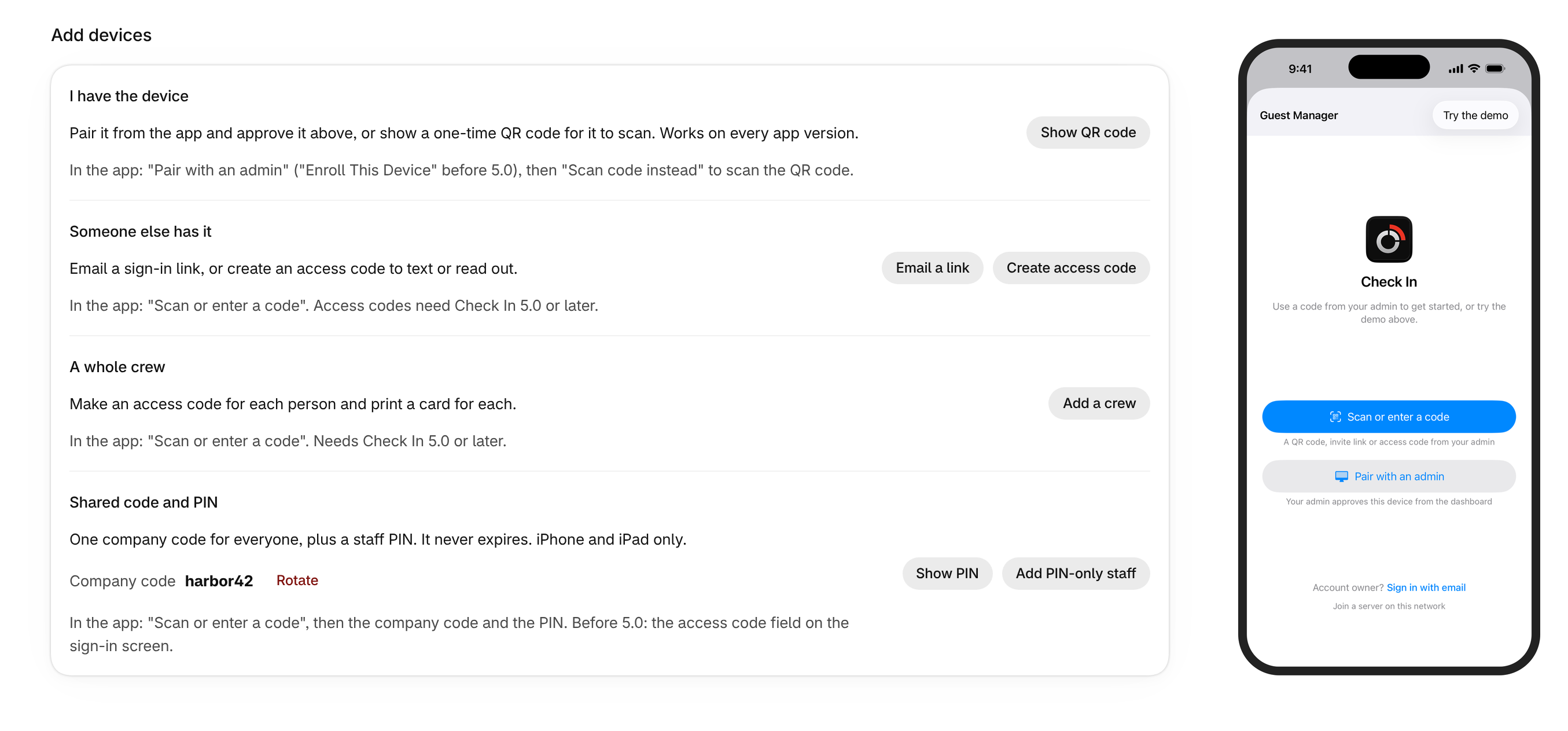
Sign a device in to check-in when it isn’t in your hand: create an access code to text or read out, or add a whole crew at once and print a card for each person.
Where to find it
In the Shopify app, open Check In. The Add devices section has one row for each way to add a device:
- I have the device: pair it from the app and approve it, or Show QR code for it to scan.
- Someone else has it: Email a link, or Create access code.
- A whole crew: Add a crew makes a code for each person.
- Shared code and PIN: one Company code plus a staff PIN, and Add PIN-only staff.
In your Guest Manager dashboard, the devices page links to Create an access code.
How it works
- An access code can ask for a name when it’s used, or belong to a new or existing staff member. Set how many devices can use it and when it expires.
- After you add a crew, Print a card for each person or Download CSV.
- In the Check In app, staff tap Scan or enter a code. Access codes need Check In 5.0 or later.