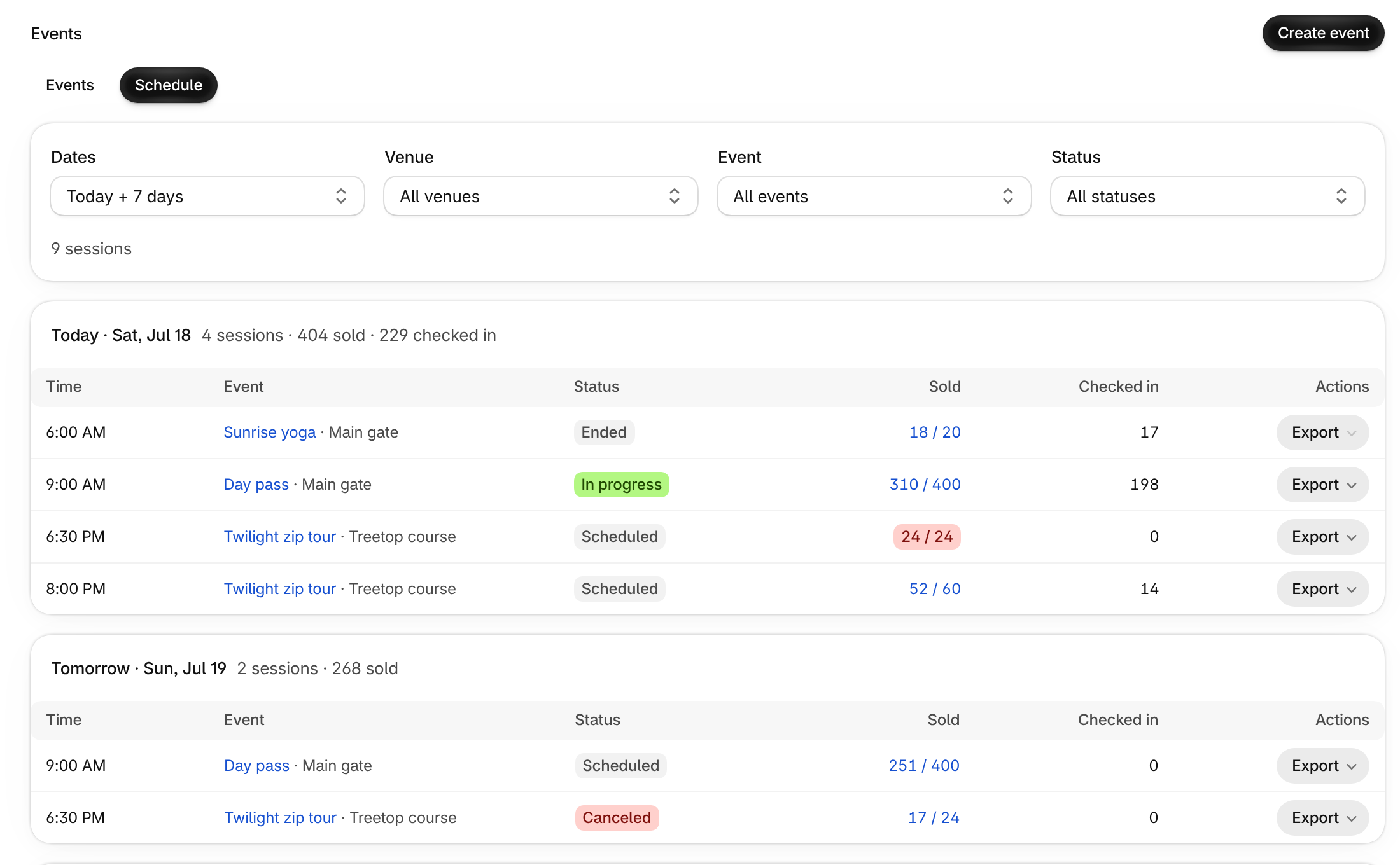
See what is on today, tomorrow and the rest of the week in one list: every session and one-time event, grouped by day, with how many tickets sold and how many guests checked in.
Where to find it
In the Shopify app, open Events and choose Schedule at the top of the page. Choose Events to go back to the usual list.
If your events cover 8 or more different days in the next 30 days, Events opens on the Schedule for you. Once you pick a view, the app remembers your choice.
How it works
- Each day shows its sessions, tickets sold and check-ins. Each row shows the time, the event and venue, a status (Scheduled, In progress, Ended, Unpublished or Canceled), Sold and Checked in.
- Sold turns orange when fewer than 5 tickets are left and red when the session is sold out. Select it to open that session’s sales.
- Filter by Dates (Today + 7 days, Next 30 days or Custom), Venue, Event and Status, including Sold out and Low inventory.
- Use Export on a row to print or export that session’s attendee list, where your plan includes it.
- Choose Show the next 7 days at the bottom to look further ahead.