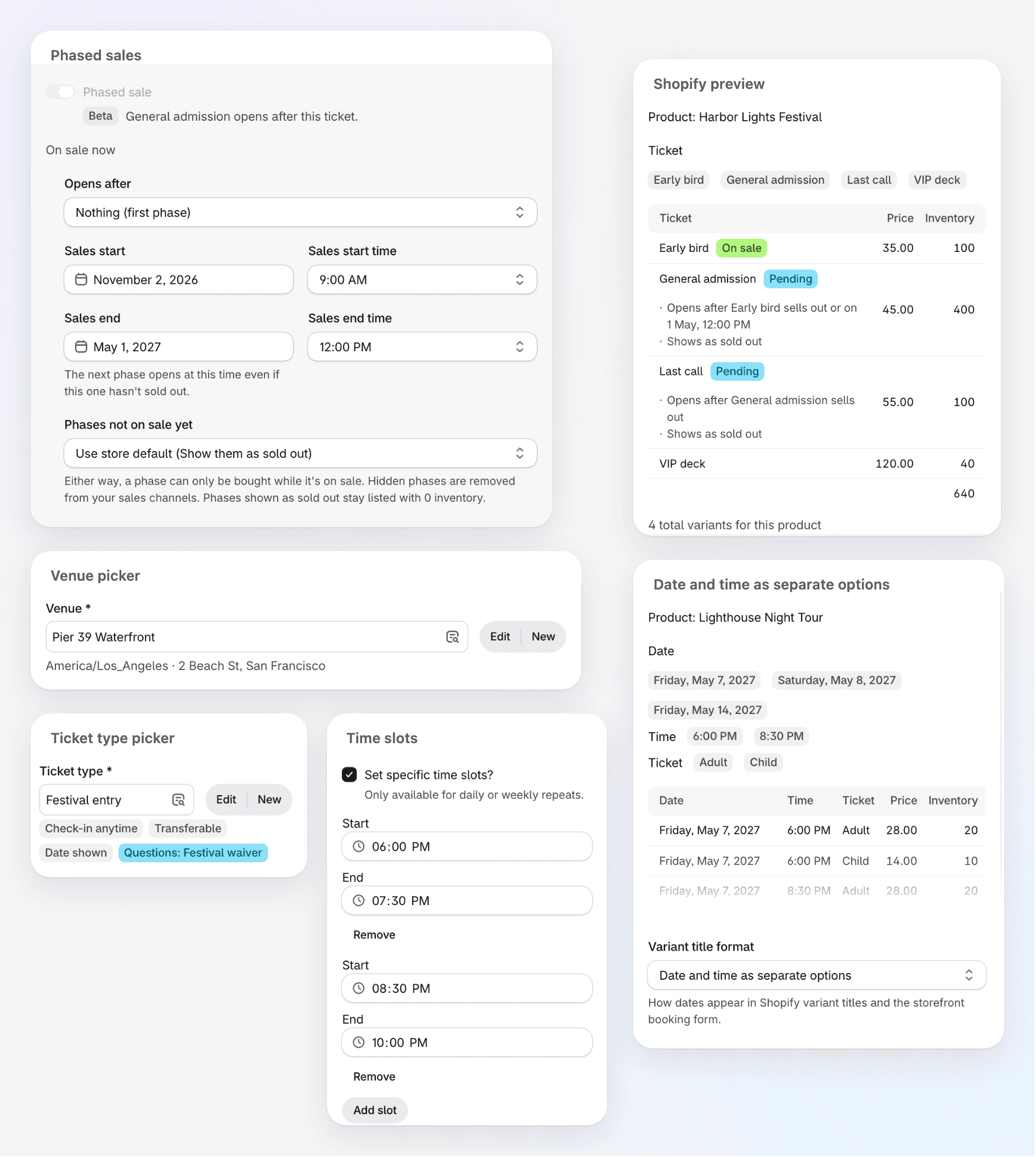
The new form adds phased sales, lets you pick ticket types and venues from a list, and shows how your event will look in Shopify as you build it.
Where to find it
In the Shopify app, open Events and click Create event, or open an event and click Edit event.
What’s new
- Phased sales (Beta): sell a ticket in phases, such as Early bird, then General admission, then Last call. Turn on Phased sale in a ticket’s options and choose what it Opens after. Each phase opens when the one before it sells out or reaches its Sales end. Use Phases not on sale yet to hide waiting phases or show them as sold out. Phased sales work on one-time events where each ticket has its own inventory, not with Set total capacity.
- Ticket type and venue pickers: the Ticket type and Venue fields open a list of everything you’ve set up, with Edit and New beside them. Badges under a ticket type show its check-in window, transfers, date display and question set.
- Shopify preview: see the product, its options and every variant before you save, with each phase marked On sale or Pending.
- Date and time as separate options: under Variant title format, choose Date and time as separate options to give the date and the time their own options in Shopify and on the storefront booking form.
- Time slots: on a recurring event that repeats daily or weekly, tick Set specific time slots? to sell several times a day. Use Add slot, or Fill hourly to add a slot every hour.
- Tidier ticket options: settings are switches grouped by topic, a new ticket keeps its options under More options, and arrows next to each ticket change its order.