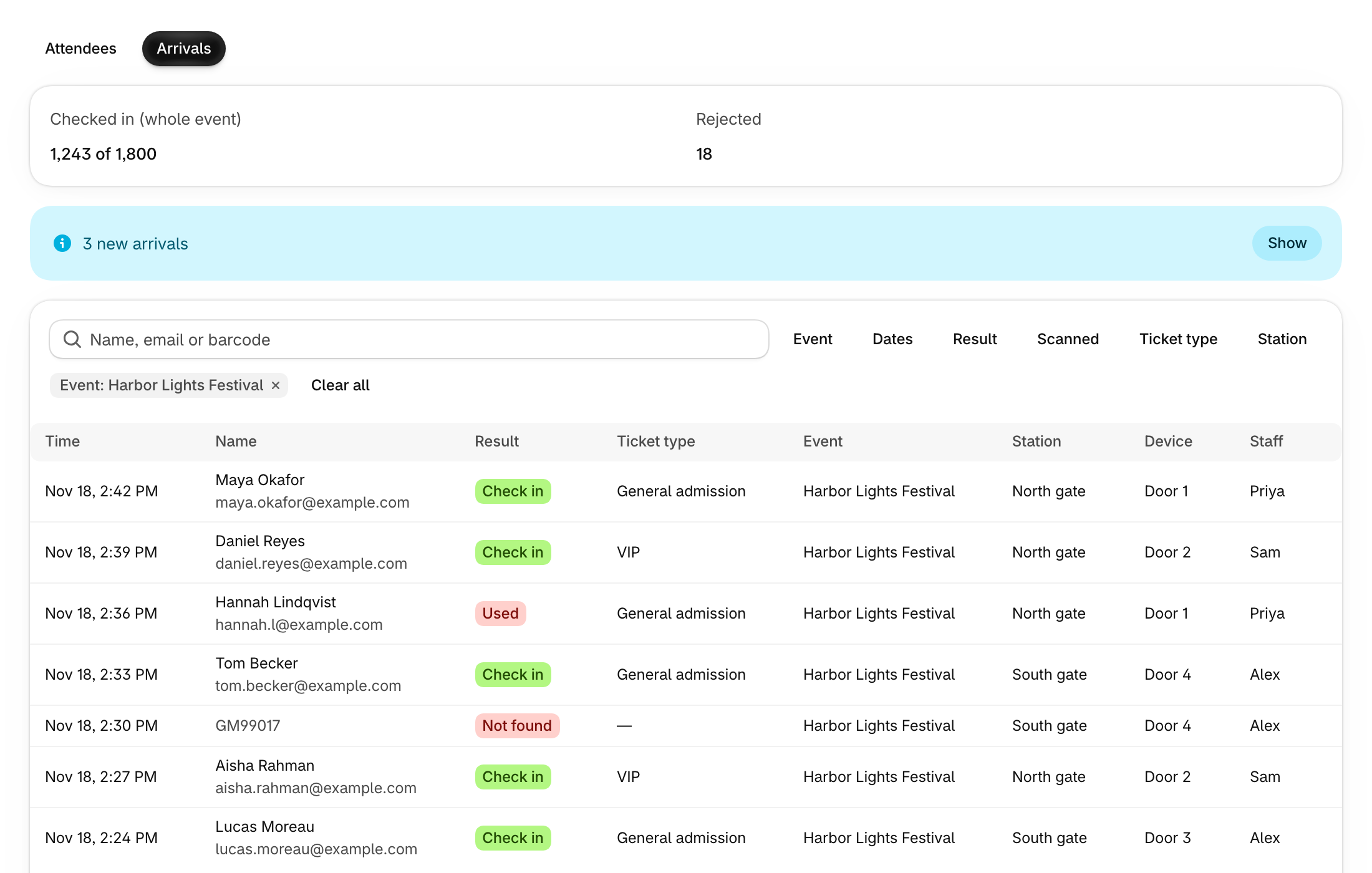
Arrivals lists every scan your staff make at the door, newest first: guests checked in, and tickets turned away. Watch an event fill up from the Shopify app without opening the dashboard.
Where to find it
- Open Attendees and switch to Arrivals at the top of the page.
- On an event’s page, click Arrivals under Reports to see that event’s arrivals.
- On Check In, click View arrivals once a device is set up.
How it works
- Each row shows the time, the guest, the Result, the ticket type, the event, and the station, device and staff member who scanned it. Click a guest’s name to open the attendee.
- Search by name, email or barcode, and filter by Event, Dates, Result, Scanned, Ticket type and Station.
- Pick one event to see Checked in (whole event), out of the tickets expected, and Rejected counts at the top. Only Rejected changes with your other filters.
- New scans show as a banner such as “3 new arrivals”. Click Show to add them to the list.
- Export opens the Arrivals page in the Guest Manager dashboard, on plans that include it.