Since 4.0 we’ve been iterating fast, across 4.1 and 4.2. The headline is a big interface update — the door experience on iPad in particular has been rebuilt, and moving between your events is far quicker — plus new remote control over your devices.
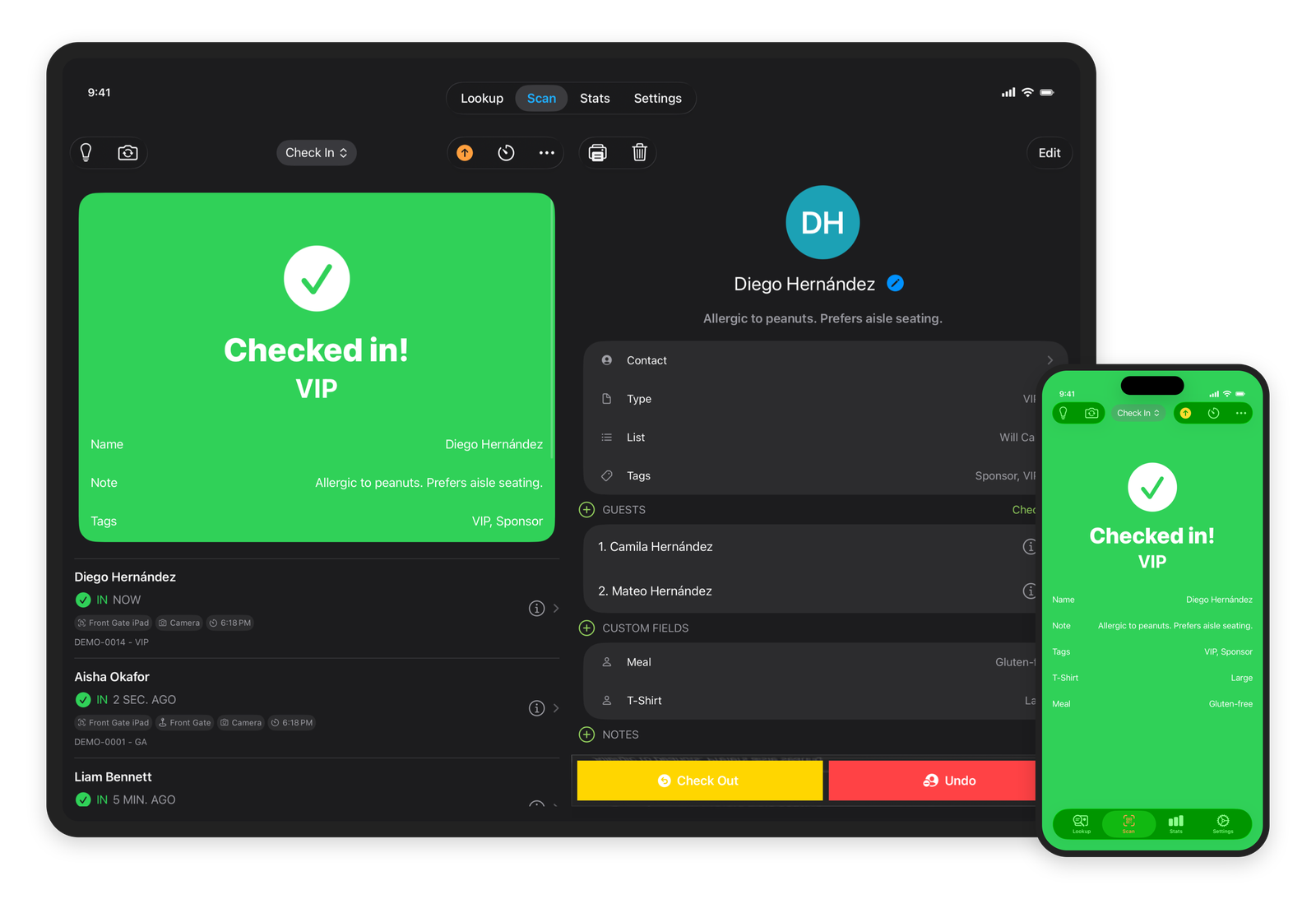
A scan station built for iPad
On iPad, scanning is now a single, purpose-built workspace: the viewfinder, the scan result, and a live list of arrivals sit side by side, so whoever’s on the door sees each check-in land in real time without leaving the scanner. Scan results got a typography pass and clearer status icons, and a ticket that’s already been used now reads a blunt “Already In” so staff can react at a glance.
Switch events from any tab
Running more than one event? You can now change the active event right where you’re working — an event chip on the Attendees tab, a tappable event line on the Scan tab, and an independent switcher on Stats (so you can watch one event’s numbers while scanning another). The event picker itself was overhauled: partial-match search, an All Events option, a venue filter, a Today / Upcoming / Past scope bar, and a “has attendees” filter — and it opens on today’s events when you have them.
A cleaner attendee list
The attendee list was rebuilt with monogram avatars (or the attendee’s photo when there is one), clearer badges and status colors, in-place search highlighting, and room for more at a glance — including product and order number on each row.
A smoother way to connect a device
Setting up a device now runs through a proper enrollment ceremony: a clear pairing screen with a code and a QR option, the ability for a device to name itself as it joins, and a tidy hand-off straight into the first sync. Email sign-in and device enrollment both live on the login menu now.
Revoke or pause a device remotely
Lost an iPad, or wrapping up with a rented fleet after the show? You can now revoke a device remotely — it finishes uploading anything it’s still holding, then de-enrolls and wipes its local event data, so nothing sensitive walks out the door. You can also pause a device, which locks its scanner and holds its queue until you reactivate it, without dropping any pending check-ins.
Minor fixes and improvements
- Restored the Back button on ticket detail and fixed an iPad split-view ghost
- The login enrollment menu no longer overlaps the form hint
- Filter menus list ticket types, lists, and tags alphabetically
- Attendee status icons tint correctly again; long event names truncate cleanly
- Fixed a sync wedge that could occur after logging out and back in
